メインコンテンツへスキップ

Control Board Airflow Optimization

はじめに

Estimated Time: 5-10 Minutes • Skill Level: Beginner

To ensure your Ascent laser maintains peak performance and sustained reliability during heavy workloads, this guide outlines a simple, proactive airflow optimization. By permanently removing the control board fan filter, your system will achieve maximum cooling efficiency for uninterrupted operation during demanding production runs.


Safety First: Ensure the laser system is completely powered off and the main power cord is unplugged from the wall outlet before touching or disconnecting any internal electronics. Do not touch any exposed power supply components.

Powering off the machine
ステップ1

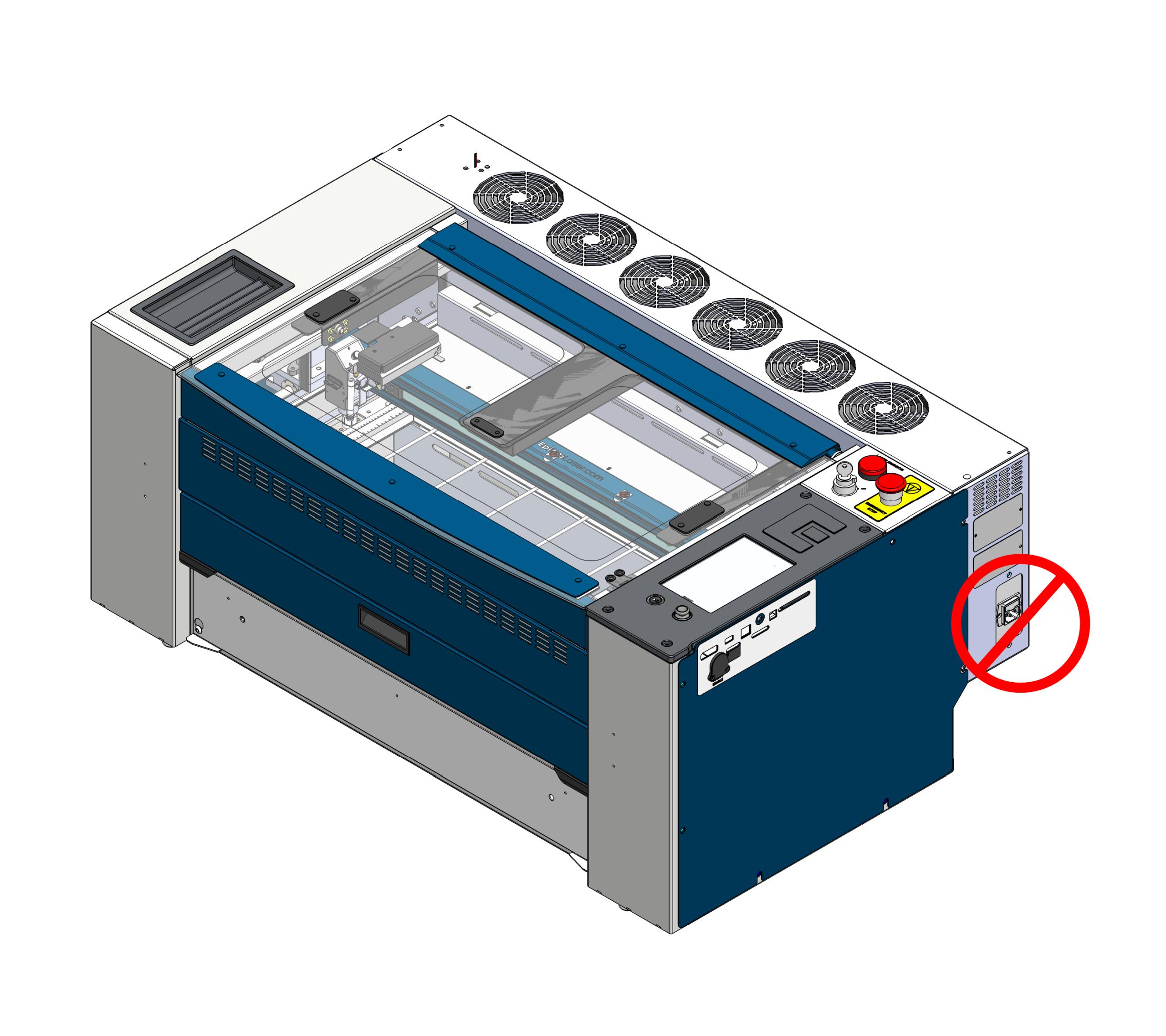
Power Off & Unplug

For your safety, completely power off the machine and unplug the main power cord from the wall before beginning this procedure.

Removing right side panel
ステップ2

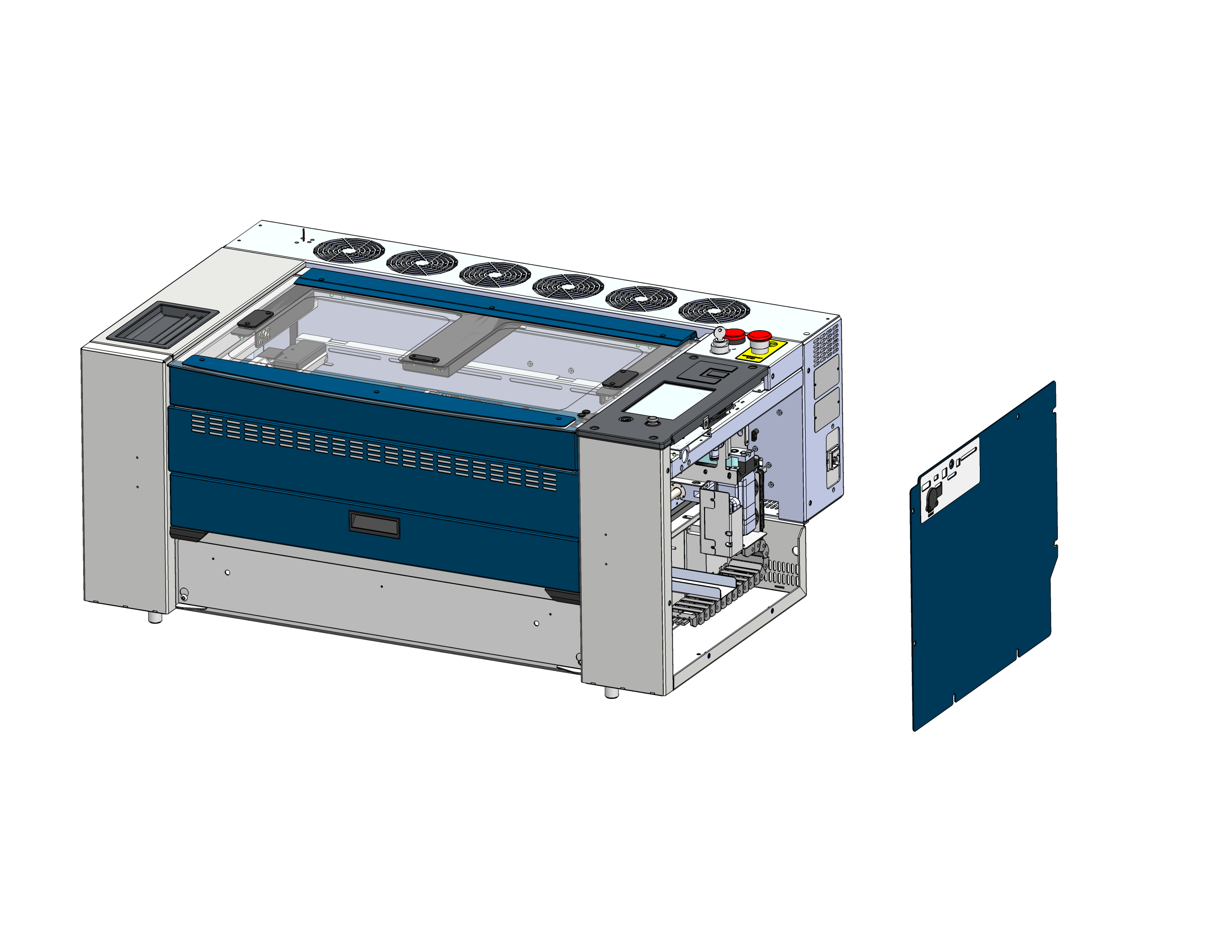
サイドパネルを取り外す

Locate and remove the right side panel of the machine to gain access to the control board cooling fan.

Removing fan filter
ステップ3

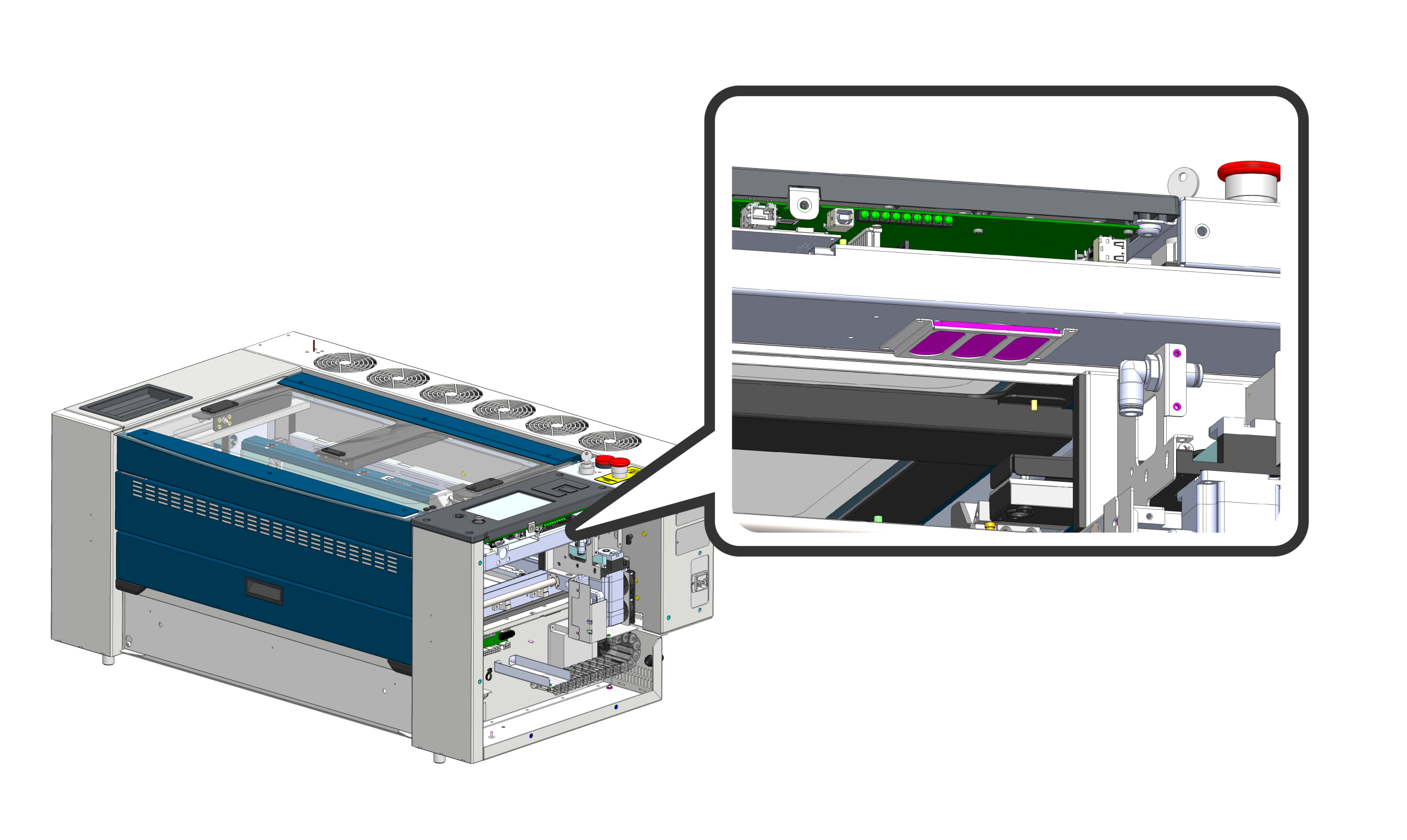
Slide Out Fan Filter

The fan filter is under the control board (highlighted in pink). Gently slide the fan filter out of its retaining bracket. To maximize airflow efficiency and cooling capability, this filter will be permanently removed and left off the assembly.

Reattaching side panel
ステップ4

Reattach Side Cover

Reinstall the right side panel and securely fasten the hardware. Reconnect the main power cord and turn on the machine. Your system is now optimized for sustained peak performance.

これは役に立ちましたか?

はい
いいえ
ご意見ありがとうございます!
  • ID:
    KA-01709
  • 日付:
    05/26/2026

ツール:

  • 5/32インチ六角レンチ

レーザー治療の旅を続けましょう

過去のレッスンを復習するか、次のステップに進んで新たな発見を!