Ir al contenido principal

Requisitos del sistema y configuración

Serie: 17000

Filtros


Primeros pasos (8)
Usage and Operation (102)
Service and Repair (64)
Manual (0)

Results: 24 items found
  • Ver:
Ordenar por
Relevancia

Filtros


Primeros pasos (8)
Usage and Operation (102)
Service and Repair (64)
Manual (0)

Cómo configurar el software gráfico para Epilog Laser

Esta guía proporciona instrucciones paso a paso para configurar y utilizar los programas de diseño gráfico más populares con Epilog Laser .

Software Setup CorelDRAW Setup Open CorelDRAW. Note: CorelDRAW Graphics Suite is the recommended CorelDraw version for use with Epilog Laser systems. Other versions, such as the Student or Standard version, may have different menu options and settings. Select Tools > Options > Global > Printing > Driver Compatibility. Choose Epilog (...)
Desmontaje e instalación de la óptica del carro

¿Cómo puedo retirar e instalar la óptica del carro en mi láser?

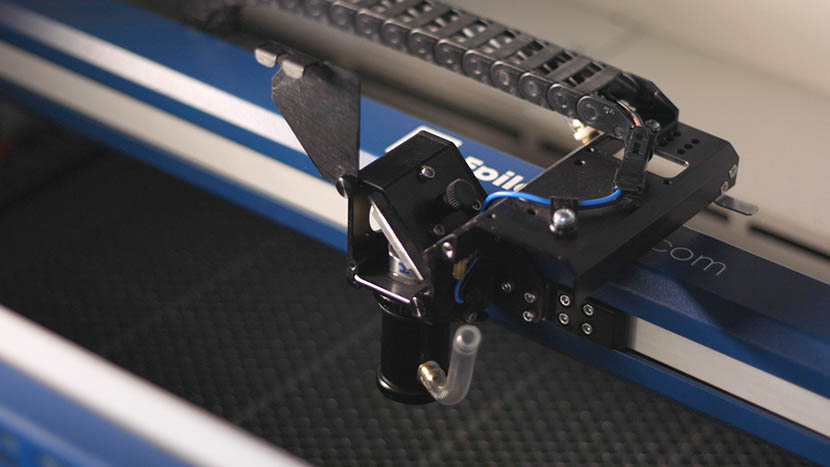
Proper removal and installation of the carriage optics in the Fusion 17000 laser system are essential for maintaining optimal performance and precision. This guide provides step-by-step instructions for safely removing and reinstalling key components, including the mirror, lens tube, and air assist tubing. Following these procedures ensures that the optics (...)
Uso de la opción Centro-Centro en el Epilog Laser

¿Cómo puedo utilizar la opción Centro-Centro en el controlador de impresión para facilitar el posicionamiento de mi grabado?

When engraving a uniquely-shaped item, the Center-Center option within the Epilog Laser Dashboard can be an invaluable tool. The Center-Center option allows you to define the center of your artwork as the primary reference point (home position) of your engraving or cutting. Designed to be used in conjunction with the (...)