Passer au contenu principal

Configuration système requise et installation

Série : 17000

Filtres


Pour commencer (8)
Utilisation et fonctionnement (102)
Entretien et réparation (64)
Manuel (0)

Résultats : 24 résultats trouvés
  • Afficher :
Trier par
Pertinence

Filtres


Pour commencer (8)
Utilisation et fonctionnement (102)
Entretien et réparation (64)
Manuel (0)

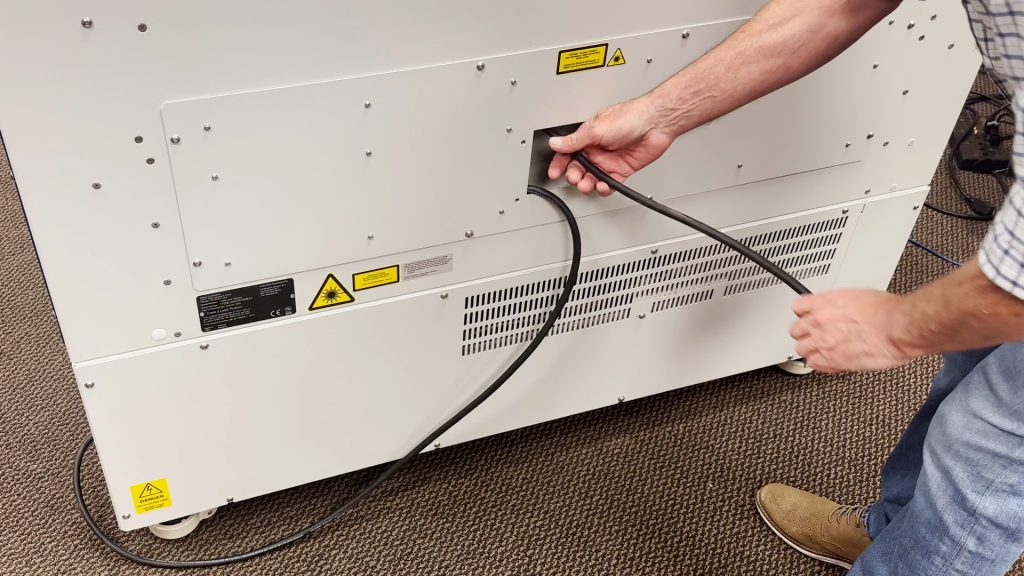
Connexions d'alimentation 220 V CA : type d'extrémité centrale et photo

Quel type de cordon d'alimentation dois-je utiliser pour fonctionner sur 220 V CA ?

Epilog’s laser systems are equipped with auto-switching power supplies that accommodate input voltages ranging from 110 to 240 volts at 50–60Hz. We recommend using a dedicated 15A circuit breaker regardless of the operating voltage to ensure stable and reliable performance. For Systems Operating on 220V in the United States The (...)
Guide de configuration d'Epilog Pulse

Comment configurer et connecter mon laser à l'aide de la nouvelle application Epilog Pulse ?

Epilog Pulse App Guide Streamline your workflow by sending jobs directly to your laser from any modern web browser. System Requirements & Setup Compatibility Firmware: Version 1.1.0.2 or newer Browser: Chrome, Edge, Safari, or Firefox Processor: Intel Core i3/i5/i7, AMD Ryzen/FX/A-Series, or ARM Connection Required Before utilizing the Pulse application, (...)
Exigences en matière d'alimentation électrique en fonction de la puissance du laser

Quelles sont les exigences en matière d'alimentation électrique pour mon Epilog en fonction de la puissance du laser ?

Systems: All This information is to be used only to size a power condition or an UPS (uninterruptible power supply)and should not be used to size the circuit providing voltage to the system. The circuit requirement remains as a 15 amp circuit. Laser Type Wattage Voltage Requirements Wattage of Power (...)
Optimisez votre flux de travail : modification des paramètres par défaut des tâches

Comment puis-je configurer les paramètres par défaut dans la suite logicielle ?

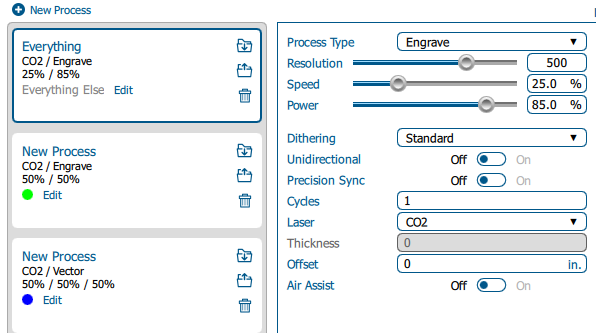
Estimated time: 5–10 minutes • Skill: Beginner By default, jobs sent to the Epilog Software Suite use standard settings. You can customize these defaults to save setup time or better match your materials and applications. Follow the steps below to change the default job settings. Changing Default Job Settings Send (...)