Ga naar de hoofdinhoud
Aan de slag
19000

Filters


Getting Started (8)
Usage and Operation (9)
Service and Repair (12)
Handleiding (62)

Installeer de softwarepakket en stel je laser in

Inleiding

Follow the instructions for the remainder of the setup. For more detailed instructions on installing the Software Suite or setting up your machine in the Job Manager, go to support.epiloglaser.com and search for our: Interactive Connection Guide.
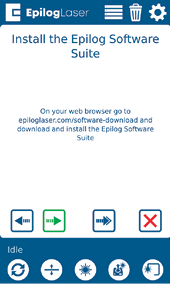
Software Suite installation instructions
[handig]
  • Datum:
    07/27/2026

Ga verder met je laseravontuur

Bekijk een eerdere les nog eens of ga verder om te ontdekken wat er daarna komt.
/* === Aggressive removal of PrintFriendly injected header elements === */ #printfriendly #pf-title, #printfriendly #pf-src, #printfriendly .pf-header, #printfriendly header, #printfriendly .printfriendly-header, #printfriendly h1:first-of-type, #printfriendly .page-header, #printfriendly [class*="header"], #printfriendly [id*="header"] { display: none !important; visibility: hidden !important; height: 0 !important; margin: 0 !important; padding: 0 !important; } /* Hide any top bar or source URL container */ #printfriendly #pf-src, #printfriendly .pf-src, #printfriendly [class*="src"], #printfriendly [class*="url"] { display: none !important; } /* Force page margins and centered page numbers */ @page { size: letter portrait; margin: 0.7in 0.5in; } @page :left, @page :right { @top-left { content: none !important; } @top-center { content: none !important; } @top-right { content: none !important; } @bottom-center { content: counter(page); font-size: 0.95em; padding-bottom: 25px; } }