Inhaltsverzeichnis
- Einführung
- Sicherheit
- Erste Schritte
- Setting Up Your Laser System
- Unpacking the Fusion Ascent
- Choose Where to Locate the System
- Connecting the Exhaust
- Connecting Electrical Power
- Connecting the Laser to Your Computer
- Power on the Laser
- Set the IP Address
- Install the Software Suite & Set Up Your Laser
- Sign Up for Driver Updates and Register Your System
- Systemsteuerung
- System Features
- Machine Maintenance
- Specifications
- Technical Support
- Warranty
- Material-Einstellungen
- Calibration
Erweiterte Einstellungen
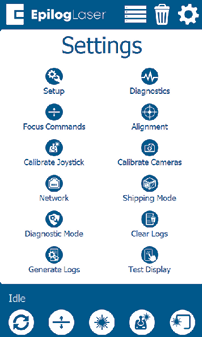
Access the Advanced Settings Menu by first going to the Settings Menu, then long pressing the text “Settings” at the top of the screen.
In this menu you have options for calibrating various parts of the machine, including the Joystick, Cameras and Auto Focus. Each option provides step by step instructions for each process.
For more information about Camera Calibration, see “Camera Calibration”.
For more information about Auto Focus Calibration, see “Calibrating the Auto Focus”.