Inhaltsverzeichnis
- Einführung
- Sicherheit
- Erste Schritte
- Setting Up Your Laser System
- Unpacking the Fusion Ascent
- Choose Where to Locate the System
- Connecting the Exhaust
- Connecting Electrical Power
- Connecting the Laser to Your Computer
- Power on the Laser
- Set the IP Address
- Install the Software Suite & Set Up Your Laser
- Sign Up for Driver Updates and Register Your System
- Systemsteuerung
- System Features
- Machine Maintenance
- Specifications
- Technical Support
- Warranty
- Material-Einstellungen
- Calibration
Enabling / Disabling Wireless
Note: Wi-Fi is factory-disabled on machines shipped to the European Union and cannot be enabled by the user
1. To enable or disable the Wireless connection option on your machine, first go to the Settings Menu.
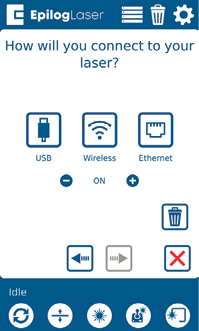
2. Under the Settings Menu, select “Network”.
3. Press the minus symbol to turn off wireless, and the plus symbol to turn it back on.
4. Network Menu Note
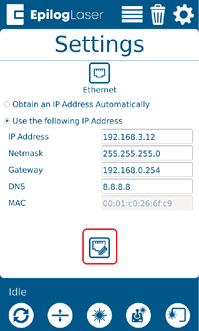
Note: If you are already set up with an Ethernet connection and the Network Menu does not display, press the “Ethernet” icon to return to the Network Menu first.