Table des matières
- Introduction
- Sécurité
- Pour commencer
- Setting Up Your Laser System
- Unpacking the Fusion Ascent
- Choose Where to Locate the System
- Connecting the Exhaust
- Connecting Electrical Power
- Connecting the Laser to Your Computer
- Power on the Laser
- Set the IP Address
- Install the Software Suite & Set Up Your Laser
- Sign Up for Driver Updates and Register Your System
- Panneau de configuration
- System Features
- Cleaning Maintenance
- Specifications
- Technical Support
- Warranty
- Paramètres matériels
- Calibration
Choose Where to Locate the System
Cooling Requirements and Operating Temperatures
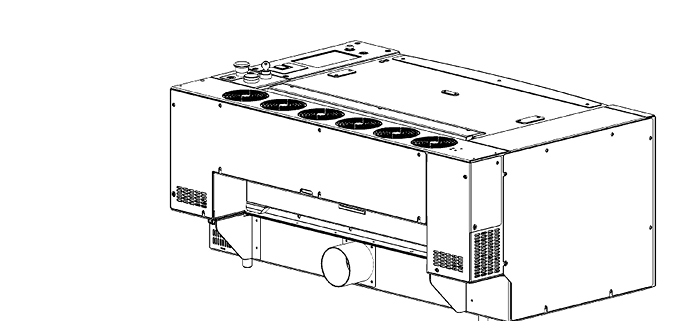
All Epilog Laser systems use air-cooled laser tubes. Laser technology is such that the laser tubes generate a lot of excess heat and the tubes must be cooled for proper operation. There are cooling fans located on both sides of the laser. The fans and vents should always be clear of restrictions and should never be covered.
Warning: The cooling fans and vents are located on both sides of the Fusion Pro and should never be covered or blocked in any way. Lasers that overheat will not operate properly and may begin to produce erratic laser output or possibly complete failure.
Ambient air temperature where the laser system is operating should not exceed 90 degrees F (32 C). Operating in an environment where the ambient air temperature is above 90 degrees F (32 C) will void the Epilog warranty. For more information, see the “Warranty Statement for the Fusion Ascent Laser” on page 69.