PhotoLaser Plusで可変データを含むシリアルタグを作成する PhotoLaser Plusでシリアル化されたタグを作成するにはどうすればよいですか? PhotoLaser Plusのバッジレイアウトツールを使って、可変データを含むシリアルタグを作成できることをご存知でしたか?これは、レーザーで彫刻やカットが可能なシリアルタグシステムを、素早く簡単に作成できる方法です。この記事では、その方法について解説します(...)
プリントマージを使用した複数名札レイアウトの作成 印刷マージを使用して名札レイアウトのPhotoLaser Plusファイルを作成するにはどうすればよいですか? One of the most common questions we receive is regarding name badge layout. Although it looks easy, finding a quick way to create multiple name badges can create some major complications. Since working with PhotoLaser Plus, we’ve discovered a great benefit of the software is that it does an excellent (...)
非デザイナーのためのデザイン術 私はデザイナーではないので、レーザーで見た目が良いサンプルをどうやって作ればいいですか? Depending on the engraving services you provide and how you operate your business, you may be required to produce different designs, either for your own sample purposes or when completing jobs for customers. This can make even the best engravers a little nervous – especially those who don’t necessarily consider (...)
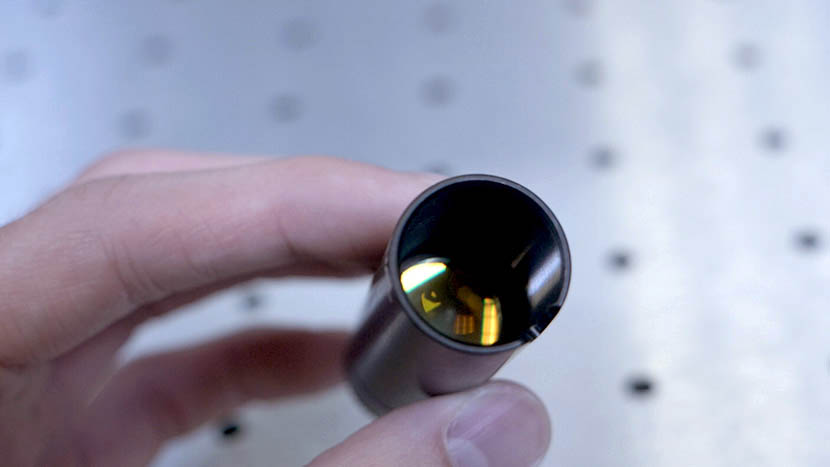
フォーカスレンズ入門 レーザーの焦点レンズはどのように機能しますか? This Technical Library article discusses the purpose of the focus lens as well as guidelines for using lenses of different sizes for various projects. What does a focus lens do? A laser beam emanating from the laser tube is typically around one-quarter of an inch (240 thousandths) in diameter. This (...)
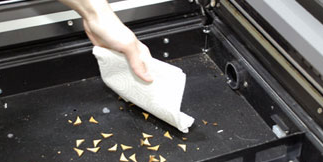
レーザーによる火災リスクの低減 レーザーが火災の危険から安全であることを確認するにはどうすればよいですか? This article will guide you through recommendations to reduce fire hazard with your laser. Your laser system uses a high intensity beam of light that can generate extremely high temperatures when it comes into contact with the material being engraved, marked or cut. Some materials are extremely flammable and can (...)
都市地図の作成(CorelDRAW) CorelDRAW都市地図のカットおよび彫刻用にアートワークを調達・準備する方法を学びます。 都市地図の画像取得 まずは snazzymaps.com にアクセスし、レーザー彫刻やレーザーカット用のカスタム都市地図を作成しましょう。アカウントの作成は必須ではありませんが、顧客や友人のためにさまざまな都市地図を作成したい場合は、登録することで地図を保存できるようになります(...)
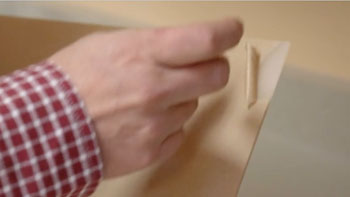
アクリルから粘着剤の台紙を剥がす 粘着シートの裏紙を簡単に剥がす方法のちょっとしたコツ。 Spray Backing Spray the adhesive backing with Pure Citrus air freshener and let it sit for 30 seconds. Peel Backing Now the adhesive backing should be quick and easy to remove from your acrylic. Wipe Clean Wipe off the remaining residue and you’re ready to engrave or (...)
最大回転アタッチメント径 ロータリーアタッチメントに取り付け可能な最大直径/長さはどれくらいですか? Maximum diameter that will fit on the Rotary Attachment for each system Epilog Zing 24: 5.25″ (133mm) Epilog Mini 18: 3″ (76mm) Epilog Mini 24: 5″ (127mm) Epilog Helix: 8″ (203mm) Fusion 32: 10.75″ (273 mm) Fusion 40: 10.75″ (273 mm) Fusion M2 32: 10.25″ (260 mm) Fusion M2 40: (...)
ドライバとファームウェアのダウンロード 私のレーザープリンター用の最新のドライバとファームウェアはどこからダウンロードできますか? You can find the latest versions of Epilog Laser’s driver and firmware software available for download at www.epiloglaser.com/support/drivers/. To stay informed when a new driver version is released, join the Driver Notification mailing list located on that page.
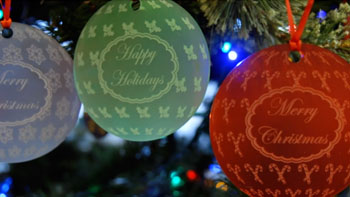
レーザー彫刻用3D球体デザインの作成 AdobeIllustratorD回転機能を使用して球体のような外観を作成します。 Setup the Artwork Here we have a snowflake design that we’ve replicated in an offset grid pattern to be transformed into a 3D sphere design. Select the design and drag it into the Symbols tab. Name the design And set the export type to graphic. Delete the (...)
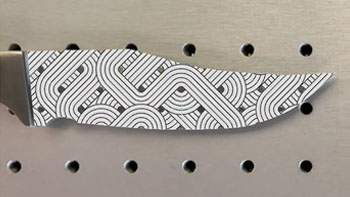
IRISカメラを使用してアートワークを正確に配置する 数分でナイフの刃の形状にグラフィックを合わせる方法を学びましょう。 Artwork Setup Here we have a graphic we want to engrave on a blade of knife, which we can do by using the camera. In the Laser Dashboard, using the camera, we can see the knife blade placed in the laser. Start by clicking the Copy Background Image (...)
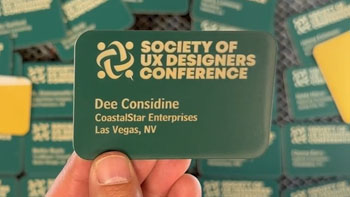
プリントマージを使用して複数のアイテムをカスタマイズする CorelDRAW 印刷マージ機能を使用して、複数のアイテムを簡単に識別CorelDRAW 、一度に彫刻CorelDRAW 学びましょう。 Import Data Here we have a series of name badges to engrave and cut on the laser using print merge. First we’ll need to pull in the list of names. Select File > Print Merge > Create/Load Print Merge Click Import File and navigate to your .csv, .rtf, or (...)