メインコンテンツへスキップ

ソフトウェア技術

シリーズ: 4000-6000

フィルター


はじめに (1)
使用方法と操作 (86)
サービスおよび修理 (5)
マニュアル (0)

Results: 36 items found
  • 表示:
順序で
関連性

フィルター


はじめに (1)
使用方法と操作 (86)
サービスおよび修理 (5)
マニュアル (0)

アクリルとガラスへのレーザー照射による3D効果の創出

ガラスやアクリルに3D効果を創出するために、レーザーをどのように使用すればよいですか?

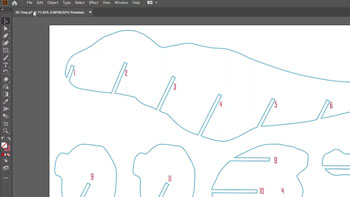
1) This 3D effect will work for any block style font and many other types of shapes, but for this exercise we are going to apply the effect to the letter “E”. Start with a capital letter “E” to the specifications below. Font: Arial Black Size: 310 pt Convert to (...)
後でカスタマイズするために、ジグを使ってアイテムに下彫りを行う

最も人気のあるレーザー彫刻プロジェクトで時間を節約するジグの使い方を学びましょう。

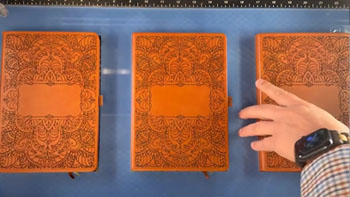
Setup the Artwork   Here we are creating a jig to pre-engrave four leather notebooks.   We’ll add customized names to each one later.   The red lines are the outlines of the notebooks we’ll cut out in a jig. We’ll cut an arrow at the top left corner so (...)
プリントマージを使用して複数のアイテムをカスタマイズする

CorelDRAW 印刷マージ機能を使用して、複数のアイテムを簡単に識別CorelDRAW 、一度に彫刻CorelDRAW 学びましょう。

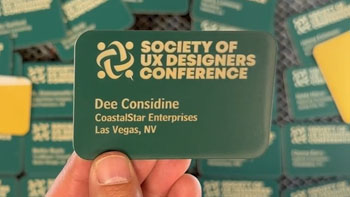
Import Data Here we have a series of name badges to engrave and cut on the laser using print merge. First we’ll need to pull in the list of names.   Select File > Print Merge > Create/Load Print Merge Click Import File and navigate to your .csv, .rtf, or (...)
赤い点ポインタの簡易バウンディングボックスの作成

彫刻する予定の領域をプレビューするにはどうすればよいですか?

When we’re running custom engraving jobs, there is nothing better than combining our features of Red Dot Pointer and Center-Center Engraving to quickly position the product. While at the MakerFaire in San Mateo we were providing custom engravings on cell phones and laptops and found ourselves repeatedly using a tip (...)