メインコンテンツへスキップ
はじめに

フィルター


Getting Started (48)
使用方法および操作 (125)
サービスおよび修理 (270)
Manual (66)

「Fusion Ascent」を詳しく解説

はじめに

Epilog社から提供された梱包箱からレーザーシステムを取り出してください。将来、システムを移動させる必要が生じた場合に備え、すべての梱包材と梱包箱は必ず保管しておいてください

1. まず、はさみやカッターナイフを使って箱のストラップを切断します。ストラップは強い張力がかかっているため、切断時に高速で飛び出す恐れがありますので、ストラップから十分に離れてください。
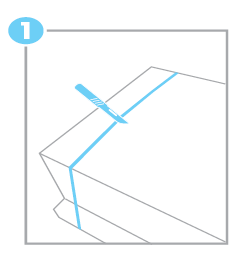
ボックスストラップの切断図

次に、結束バンドと木箱の蓋を取り外してください。


2. 箱を上に持ち上げ、パレットから離します。
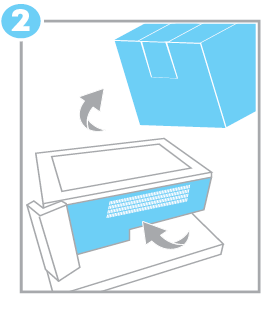
パレットから箱を取り出す図
  1. 袋を閉じているテープを切り、袋を機械の側面にかけて広げてください。
  2. 本機と一緒にスタンドをご購入され、そのスタンドをFusion Ascentのベースとして使用したい場合は、このレッスンを進める前に、まずスタンドを組み立てておいてください。
  3. Fusion Ascentの重量は147~212ポンドです。もう1人の協力を得て、Ascentレーザーシステムをパレットから持ち上げ、頑丈で水平な場所に設置してください。
  4. パレットから機械を取り出したら、ビニール袋を取り外してください。
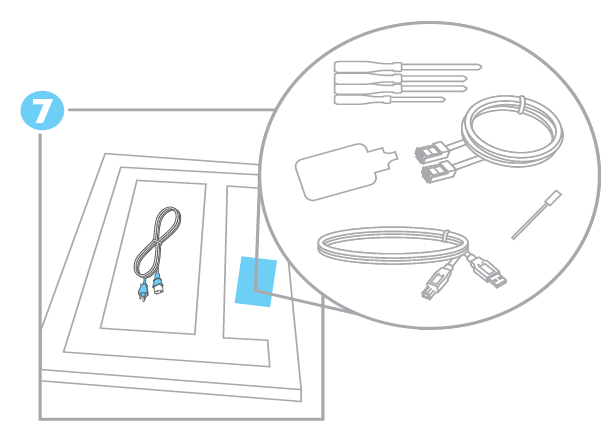
  5. 同梱品や材料は、以下に収納されています:

    • 電源コード
    • イーサネットケーブル
    • USBケーブル
    • ソフトウェアインストールUSB
    • クイックスタートガイド
    • 取扱説明書
    • トレーニングスイート登録カードとキット
    • ベンダー材料サンプルキット
    • レンズクリーナー
    • Laser Beam ターゲット
    • カメラキャリブレーションシート
同梱品および材料の一覧図
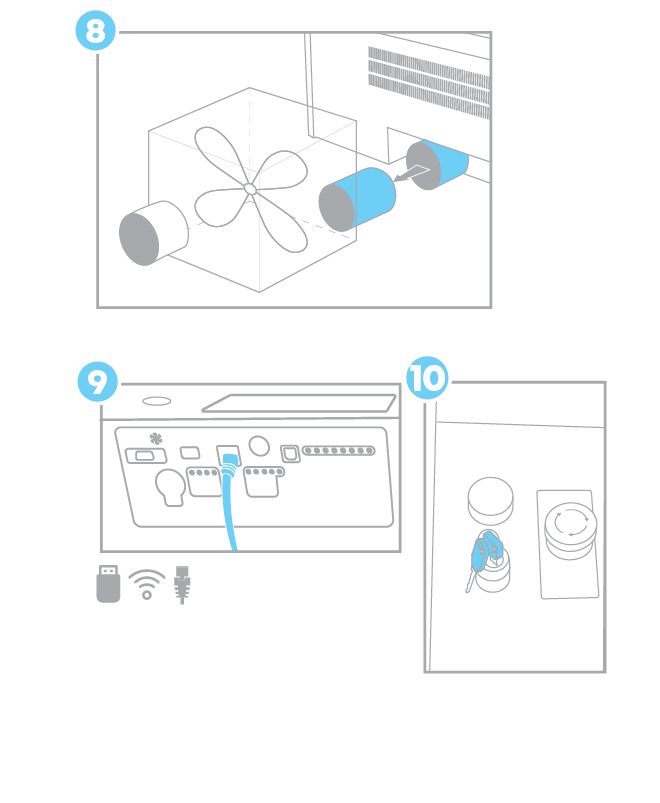
排気ファンと冷却の図
[参考になる]
  • 日付:
    07/30/2026
/* === Aggressive removal of PrintFriendly injected header elements === */ #printfriendly #pf-title, #printfriendly #pf-src, #printfriendly .pf-header, #printfriendly header, #printfriendly .printfriendly-header, #printfriendly h1:first-of-type, #printfriendly .page-header, #printfriendly [class*="header"], #printfriendly [id*="header"] { display: none !important; visibility: hidden !important; height: 0 !important; margin: 0 !important; padding: 0 !important; } /* Hide any top bar or source URL container */ #printfriendly #pf-src, #printfriendly .pf-src, #printfriendly [class*="src"], #printfriendly [class*="url"] { display: none !important; } /* Force page margins and centered page numbers */ @page { size: letter portrait; margin: 0.7in 0.5in; } @page :left, @page :right { @top-left { content: none !important; } @top-center { content: none !important; } @top-right { content: none !important; } @bottom-center { content: counter(page); font-size: 0.95em; padding-bottom: 25px; } }