メインコンテンツへスキップ
はじめに
19000

フィルター


はじめに (8)
Usage and Operation (9)
Service and Repair (12)
マニュアル (62)

レーザーの電源投入

はじめに
  1. When you boot up the Fusion Ascent for the first time, you will need to set up a few settings in the unboxing wizard to get started. On the first screen, select your preferred language and then click the next arrow.
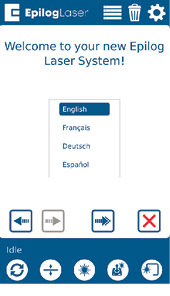
    Epilog Laser welcome screen with language selection
  2. Confirm that your laser’s exhaust system has been set up by pressing the green next arrow.
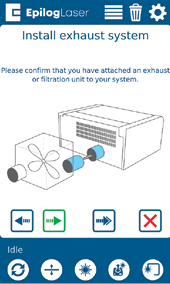
    Exhaust system installation instructions
  3. Follow the steps on the screen to run your first engraving using the anodized aluminum piece included in your Training Suite Kit. Press the green next arrow.
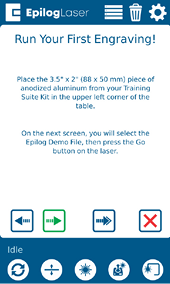
    Running first engraving instructions
  4. At the Job Menu, select the job “Epilog Demo” and then press the Go/Stop button at the machine to begin running your first job. The machine will automatically focus to the piece of anodized aluminum and then engrave it.
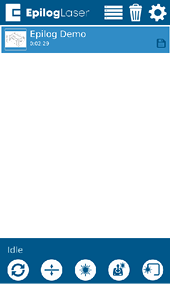
    Epilog Demo job selection

Once the engraving is complete, it’s time to connect your Fusion Ascent to your computer. You can connect via Ethernet, USB, or Wireless connection in the steps on the following pages.

[参考になる]
  • 日付:
    07/30/2026

レーザー治療の旅を続けましょう

過去のレッスンを復習するか、次の内容に進んでみましょう。
/* === Aggressive removal of PrintFriendly injected header elements === */ #printfriendly #pf-title, #printfriendly #pf-src, #printfriendly .pf-header, #printfriendly header, #printfriendly .printfriendly-header, #printfriendly h1:first-of-type, #printfriendly .page-header, #printfriendly [class*="header"], #printfriendly [id*="header"] { display: none !important; visibility: hidden !important; height: 0 !important; margin: 0 !important; padding: 0 !important; } /* Hide any top bar or source URL container */ #printfriendly #pf-src, #printfriendly .pf-src, #printfriendly [class*="src"], #printfriendly [class*="url"] { display: none !important; } /* Force page margins and centered page numbers */ @page { size: letter portrait; margin: 0.7in 0.5in; } @page :left, @page :right { @top-left { content: none !important; } @top-center { content: none !important; } @top-right { content: none !important; } @bottom-center { content: counter(page); font-size: 0.95em; padding-bottom: 25px; } }