メインコンテンツへスキップ

使用方法と操作

シリーズ:8000

フィルター


はじめに (5)
使用方法および操作 (88)
サービスおよび修理 (40)
マニュアル (0)

Results: 88 items found
  • 表示:
順序で
関連性

フィルター


はじめに (5)
使用方法および操作 (88)
サービスおよび修理 (40)
マニュアル (0)

カラー管理設定CorelDRAW 、X6、X7

CorelDRAW でピクセル化された彫刻を解消CorelDRAW 、カラー管理設定をどのように調整すればよいですか?

Some of our users have reported unsatisfactory engraving results when using CorelDRAW. We believe this is caused by certain Color Management settings, which can result in a “pixilated” output when using the color black or when using the Color Mapping feature (see image below.) This issue can be resolved by (...)
プリントマージを使用した複数名札レイアウトの作成

印刷マージを使用して名札レイアウトのPhotoLaser Plusファイルを作成するにはどうすればよいですか?

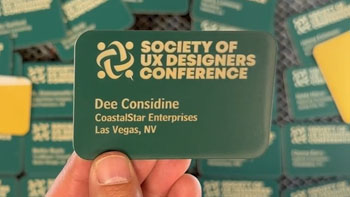
One of the most common questions we receive is regarding name badge layout. Although it looks easy, finding a quick way to create multiple name badges can create some major complications. Since working with PhotoLaser Plus, we’ve discovered a great benefit of the software is that it does an excellent (...)
レーザーによる火災リスクの低減

レーザーが火災の危険から安全であることを確認するにはどうすればよいですか?

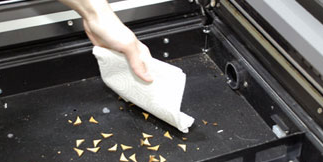
This article will guide you through recommendations to reduce fire hazard with your laser. Your laser system uses a high intensity beam of light that can generate extremely high temperatures when it comes into contact with the material being engraved, marked or cut. Some materials are extremely flammable and can (...)
プリントマージを使用して複数のアイテムをカスタマイズする

CorelDRAW 印刷マージ機能を使用して、複数のアイテムを簡単に識別CorelDRAW 、一度に彫刻CorelDRAW 学びましょう。

Import Data Here we have a series of name badges to engrave and cut on the laser using print merge. First we’ll need to pull in the list of names.   Select File > Print Merge > Create/Load Print Merge Click Import File and navigate to your .csv, .rtf, or (...)
センター・センター vs カスタムセンター彫刻

プリセット位置指定でアートワークを中央に配置する方法と、オフセットされたグラフィックを中央に配置するテクニックについて学びましょう。

Using Center-Center   There are many ways to use Center Engraving on the Epilog Laser Dashboard.   Let’s take a logo we want to engrave at the center of a coaster. In the Epilog Dashboard, choose the Advanced Tab.   Next to Centering Point you’ll see a list of all (...)