メインコンテンツへスキップ
はじめに
19000

フィルター


はじめに (8)
Usage and Operation (9)
Service and Repair (12)
マニュアル (62)

ソフトウェアスイートのインストールとレーザーの設定

はじめに

Follow the instructions for the remainder of the setup. For more detailed instructions on installing the Software Suite or setting up your machine in the Job Manager, go to support.epiloglaser.com and search for our: Interactive Connection Guide.
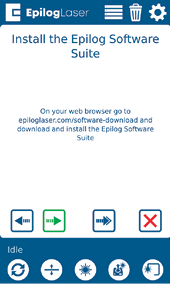
Software Suite installation instructions
[参考になる]
  • 日付:
    07/27/2026

レーザー治療の旅を続けましょう

過去のレッスンを復習するか、次の内容に進んでみましょう。
/* === Aggressive removal of PrintFriendly injected header elements === */ #printfriendly #pf-title, #printfriendly #pf-src, #printfriendly .pf-header, #printfriendly header, #printfriendly .printfriendly-header, #printfriendly h1:first-of-type, #printfriendly .page-header, #printfriendly [class*="header"], #printfriendly [id*="header"] { display: none !important; visibility: hidden !important; height: 0 !important; margin: 0 !important; padding: 0 !important; } /* Hide any top bar or source URL container */ #printfriendly #pf-src, #printfriendly .pf-src, #printfriendly [class*="src"], #printfriendly [class*="url"] { display: none !important; } /* Force page margins and centered page numbers */ @page { size: letter portrait; margin: 0.7in 0.5in; } @page :left, @page :right { @top-left { content: none !important; } @top-center { content: none !important; } @top-right { content: none !important; } @bottom-center { content: counter(page); font-size: 0.95em; padding-bottom: 25px; } }