メインコンテンツへスキップ

使用方法と操作

シリーズ: 16000-17000

フィルター


Getting Started (12)
Usage and Operation (105)
Service and Repair (117)
マニュアル (0)

Results: 105 items found
  • 表示:
順序で
関連性

フィルター


Getting Started (12)
Usage and Operation (105)
Service and Repair (117)
マニュアル (0)

ワークフローの最適化:デフォルトのジョブ設定の変更

ソフトウェアスイートでデフォルトのジョブ設定をどのように設定できますか?

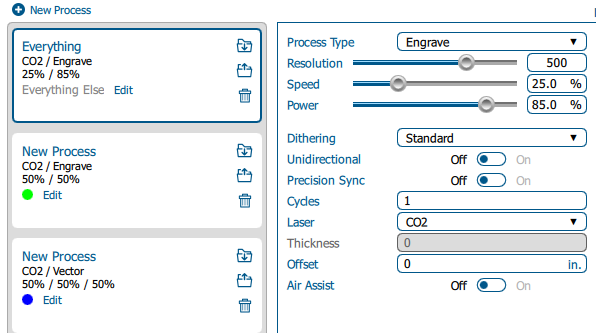
Estimated time: 5–10 minutes • Skill: Beginner By default, jobs sent to the Epilog Software Suite use standard settings. You can customize these defaults to save setup time or better match your materials and applications. Follow the steps below to change the default job settings. Changing Default Job Settings Send (...)
レーザーシステムのワット数はどのように選べばよいですか?

自分のニーズに合った適切なワット数のレーザーをどのように選べばよいですか?

The power of the laser source is measured in watts. Depending on the machine you are considering you will have power options for your laser source that range from 30-120 watts for CO2 laser tubes. Generally speaking, lower power CO2 laser tubes will be able to process the same materials, (...)
レーザー彫刻から放出される可燃性ガスの量はどれくらいか

レーザー彫刻は危険な可燃性ガスを放出しているのか?

Combustible gas release from laser engraving is extremely minuscule. When materials are engraved with a laser, they emit combustion products. These consist largely of simple carbon smoke and debris. Gases are also produced; typical combustion gas products for some common engraving materials are shown below. The values are provided in (...)
CO2 レーザー彫刻機CO2 ファイバーレーザー彫刻機における材料適合性

レーザー彫刻機でマーキングや切断が可能な材料は何ですか?

CO2 and fiber lasers can mark and interact with many materials. Below is a list of many, but not all compatible materials. When researching a material compatibility for a potential material, it is important to obtain the safety data sheet of the material. A safety data sheet (SDS), also known (...)