メインコンテンツへスキップ

使用方法と操作

シリーズ: 4000-6000

フィルター


はじめに (1)
使用方法と操作 (86)
サービスおよび修理 (5)
マニュアル (0)

Results: 86 items found
  • 表示:
順序で
関連性

フィルター


はじめに (1)
使用方法と操作 (86)
サービスおよび修理 (5)
マニュアル (0)

レーザー用モノグラムの作成方法

CorelDRAWモノグラムを作成するにはどうすればよいですか?

モノグラムネックレスは、贈り物として非常に人気があります。ここでは、CorelDRAW を使ってモノグラムを作成し、レーザーで1つのパーツとしてカットできるように加工する手順をご説明します。あとはチェーンを通すだけで、(...)にぴったりの、素敵なオーダーメイドのプレゼントの完成です。
アップリケの作成

レーザーでアップリケを作るにはどうすればよいですか?

簡単な手順をいくつか踏むだけで、2プライのツイル生地を使って自分だけのオリジナルカットアップリケを作ることができます!この手順に従って、クリップアートをどのように最適化して、この見事なデザインを作り上げたのかをご覧ください!まず、画像全体のグループを解除します。次に、周囲にアウトラインを追加する必要があります(...)
都市地図のレーザー彫刻またはカット(AdobeIllustrator)

Epilog Laserでカットまたは彫刻するための都市地図アートワークをAdobeIllustrator作成するにはどうすればよいですか?

Laser engraved or cut city maps are easy to create and will quickly become a great new addition to your popular laser engraved and cut products. Create your own local city maps and laser engrave them on cutting boards, marble tiles, and small tables, or create laser cut versions using (...)
ルーターEpilog Laser へのワイヤレス印刷

ルーターを使用して、Epilog Laser をワイヤレスプリンターとして設定するにはどうすればよいですか?

Did you know that current Epilog laser systems (Zing, Mini, Helix, EXT and FiberMark) have the ability to be set up as a wireless printer? This means you can print to your laser wirelessly from any computer that has wireless capability and is within range. It’s surprisingly easy to do (...)
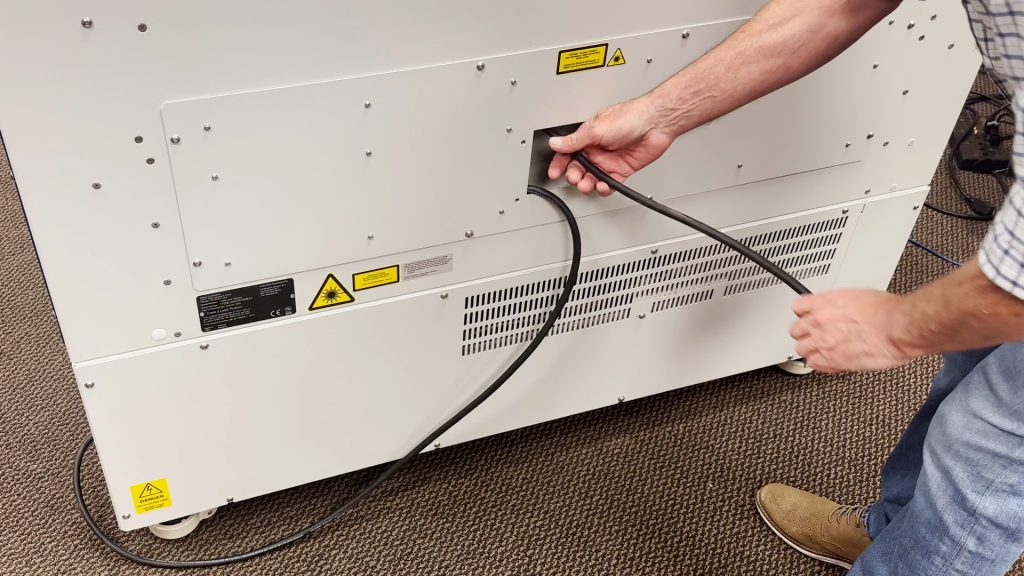
220VAC電源接続:コア端タイプと写真

220VACで動作させるには、どのような電源コードが必要ですか?

Epilog’s laser systems are equipped with auto-switching power supplies that accommodate input voltages ranging from 110 to 240 volts at 50–60Hz. We recommend using a dedicated 15A circuit breaker regardless of the operating voltage to ensure stable and reliable performance. For Systems Operating on 220V in the United States The (...)
Epilog Laser におけるセンターセンターオプションの使用

印刷ドライバーの「センター-センター」オプションを使用して、彫刻の位置決めを簡単に行うにはどうすればよいですか?

When engraving a uniquely-shaped item, the Center-Center option within the Epilog Laser Dashboard can be an invaluable tool. The Center-Center option allows you to define the center of your artwork as the primary reference point (home position) of your engraving or cutting. Designed to be used in conjunction with the (...)