Passer au contenu principal

Utilisation et fonctionnement

Série : 4000-6000

Filtres


Pour commencer (1)
Usage and Operation (86)
Service and Repair (5)
Manuel (0)

Results: 86 items found
  • Afficher :
Trier par
Pertinence

Filtres


Pour commencer (1)
Usage and Operation (86)
Service and Repair (5)
Manuel (0)

Gravure ou découpe au laser d'un plan de ville (Adobe Illustrator)

Comment créer un dessin représentant le plan d'une ville pour le découper ou le graver avec mon Epilog Laser? (Adobe Illustrator)

Laser engraved or cut city maps are easy to create and will quickly become a great new addition to your popular laser engraved and cut products. Create your own local city maps and laser engrave them on cutting boards, marble tiles, and small tables, or create laser cut versions using (...)
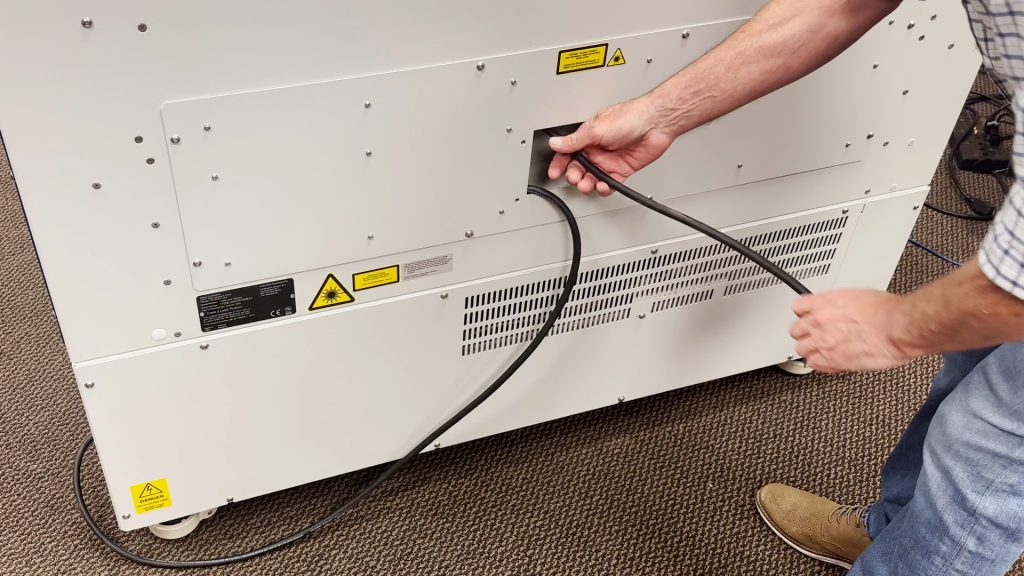
Connexions d'alimentation 220 V CA : type d'extrémité centrale et photo

Quel type de cordon d'alimentation dois-je utiliser pour fonctionner sur 220 V CA ?

Epilog’s laser systems are equipped with auto-switching power supplies that accommodate input voltages ranging from 110 to 240 volts at 50–60Hz. We recommend using a dedicated 15A circuit breaker regardless of the operating voltage to ensure stable and reliable performance. For Systems Operating on 220V in the United States The (...)
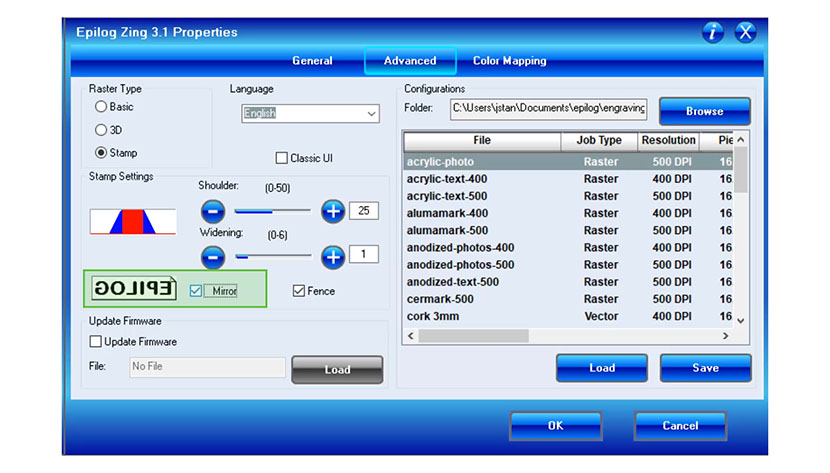
Enregistrement des paramètres de configuration dans le Epilog Laser

Comment puis-je enregistrer mes paramètres de configuration dans le pilote d'impression ?

Did you know you can save your most common laser engraving/cutting speed and power configurations through Epilog’s Laser Dashboard™? The “Configurations” feature is a data management tool that saves all of your Dashboardsettings for individual jobs. Saving the Dashboard settings as a database file (.dat) allows you to retrieve the (...)
Utilisation de l'option Centre-Centre dans le Epilog Laser

Comment puis-je utiliser l'option Centre-Centre dans le pilote d'impression pour faciliter le positionnement de ma gravure ?

Lors de la gravure d'un objet de forme particulière, l'option « Centre-Centre » du tableau de bord d'Epilog Laser peut s'avérer un outil précieux. L'option « Centre-Centre » vous permet de définir le centre de votre dessin comme point de référence principal (position d'origine) pour votre gravure ou votre découpe. Conçue pour être utilisée en association avec le (...)