メインコンテンツへスキップ

システム要件とセットアップ

シリーズ:18000

フィルター


はじめに (7)
使用方法および操作 (92)
サービスおよび修理 (25)
Manual (4)

Results: 21 items found
  • 表示:
順序で
関連性

フィルター


はじめに (7)
使用方法および操作 (92)
サービスおよび修理 (25)
Manual (4)

ロータリーアタッチメントを使用した彫刻用アートワークの設定方法

ロータリーアタッチメントで彫刻する際に、巻き込みアートワークを設定するにはどうすればよいですか?

Using your rotary attachment to create 360 degree engravings will give even more versatility to your Epilog laser system. Setting up the artwork to wrap around an object is very simple. In this exercise we will be using The Torch MAG-Lite Flashlight as an example on how to set up (...)
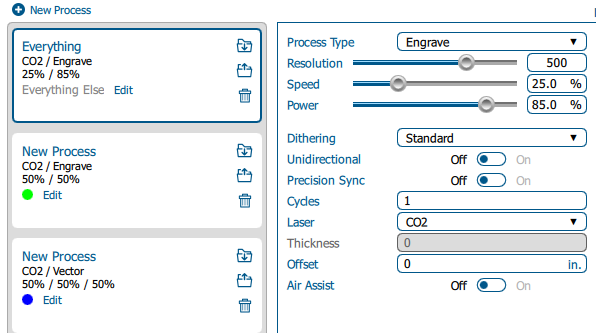
ワークフローの最適化:デフォルトのジョブ設定の変更

ソフトウェアスイートでデフォルトのジョブ設定をどのように設定できますか?

Estimated time: 5–10 minutes • Skill: Beginner By default, jobs sent to the Epilog Software Suite use standard settings. You can customize these defaults to save setup time or better match your materials and applications. Follow the steps below to change the default job settings. Changing Default Job Settings Send (...)
レーザーシステムのワット数はどのように選べばよいですか?

自分のニーズに合った適切なワット数のレーザーをどのように選べばよいですか?

The power of the laser source is measured in watts. Depending on the machine you are considering you will have power options for your laser source that range from 30-120 watts for CO2 laser tubes. Generally speaking, lower power CO2 laser tubes will be able to process the same materials, (...)