目次
- はじめに
- 安全
- はじめに
- Setting Up Your Laser System
- Unpacking the Fusion Ascent
- Choose Where to Locate the System
- Connecting the Exhaust
- Connecting Electrical Power
- Connecting the Laser to Your Computer
- Power on the Laser
- Set the IP Address
- Install the Software Suite & Set Up Your Laser
- Sign Up for Driver Updates and Register Your System
- コントロールパネル
- System Features
- Machine Maintenance
- Specifications
- Technical Support
- Warranty
- マテリアル設定
- Calibration
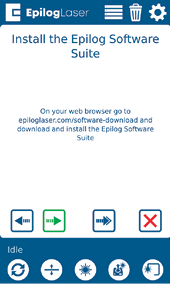
Install the Software Suite & Set Up Your Laser
Follow the instructions for the remainder of the setup. For more detailed instructions on installing the Software Suite or setting up your machine in the Job Manager, go to support.epiloglaser.com and search for our: Interactive Connection Guide.