メインコンテンツへスキップ

垂直アライメント –Legend

Legend の垂直アライメントを修正するにはどうすればよいですか?

はじめに

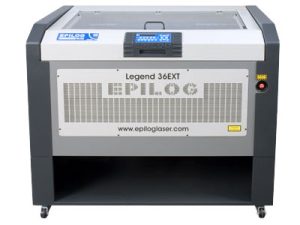
この手順では、Epilog EXTレーザーシステムの調整方法を詳細に説明します。これにより、レッドドットポインター、そして最終的にはlaser beamが彫刻テーブルに対して垂直になることを保証します。正確な垂直調整は、クリーンで精密なベクターカットを実現するために不可欠です。作業を開始する前に、EXTの水平調整およびアライメント手順を完了することが必須です。付属のアライメントターゲットと調整ネジを使用し、このプロセスではレンズキャリッジミラーを微調整して最適な精度を得る方法をガイドします。

完全な手順は添付文書に記載されています

[helpful]
  • ID:
    KA-01666
  • 日付:
    2025年12月31日

添付ファイル:

/* === Aggressive removal of PrintFriendly injected header elements === */ #printfriendly #pf-title, #printfriendly #pf-src, #printfriendly .pf-header, #printfriendly header, #printfriendly .printfriendly-header, #printfriendly h1:first-of-type, #printfriendly .page-header, #printfriendly [class*="header"], #printfriendly [id*="header"] { display: none !important; visibility: hidden !important; height: 0 !important; margin: 0 !important; padding: 0 !important; } /* Hide any top bar or source URL container */ #printfriendly #pf-src, #printfriendly .pf-src, #printfriendly [class*="src"], #printfriendly [class*="url"] { display: none !important; } /* Force page margins and centered page numbers */ @page { size: letter portrait; margin: 0.7in 0.5in; } @page :left, @page :right { @top-left { content: none !important; } @top-center { content: none !important; } @top-right { content: none !important; } @bottom-center { content: counter(page); font-size: 0.95em; padding-bottom: 25px; } }