Control Panel
19000

Filters


Getting Started (8)
Usage and Operation (9)
Service and Repair (12)
Manual (62)

Display

Introduction

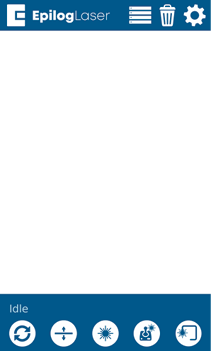
The display shows valuable information associated with the highlighted Functional Menu items. We will explain the different information that will be displayed as we go through the description of each menu item.

Control Panel Display - Idle Status
Reset
Reset
Focus Menu
Focus Menu
Pointer
Pointer
Jog Menu
Jog Menu
Trace
Trace
Power
Power
Speed
Speed
Job Menu
Job Menu
Trash
Delete
Settings
Settings Menu
[helpful]
  • Date:
    07/30/2026

Continue Your Laser Journey

Revisit a past lesson or move ahead to discover what's next.
/* === Aggressive removal of PrintFriendly injected header elements === */ #printfriendly #pf-title, #printfriendly #pf-src, #printfriendly .pf-header, #printfriendly header, #printfriendly .printfriendly-header, #printfriendly h1:first-of-type, #printfriendly .page-header, #printfriendly [class*="header"], #printfriendly [id*="header"] { display: none !important; visibility: hidden !important; height: 0 !important; margin: 0 !important; padding: 0 !important; } /* Hide any top bar or source URL container */ #printfriendly #pf-src, #printfriendly .pf-src, #printfriendly [class*="src"], #printfriendly [class*="url"] { display: none !important; } /* Force page margins and centered page numbers */ @page { size: letter portrait; margin: 0.7in 0.5in; } @page :left, @page :right { @top-left { content: none !important; } @top-center { content: none !important; } @top-right { content: none !important; } @bottom-center { content: counter(page); font-size: 0.95em; padding-bottom: 25px; } }