
Camera Cable Replacement

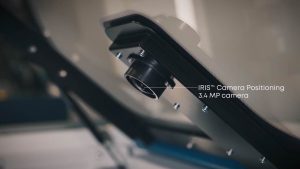
Learn how to replace the camera cables on your Fusion Pro laser system in this step-by-step video guide.

Introduction

In this video, we’ll walk you through the process of replacing the camera cables on a Fusion Pro laser system. Whether you're troubleshooting a camera issue or performing routine maintenance, following these steps will help ensure a smooth and reliable cable replacement. Make sure to power down the machine and take note of each cable’s connection point for a hassle-free reinstallation.

[helpful]
  • Date:
    10/03/2025

Tools:

  • Phillips Screwdriver
  • Flathead Screwdriver
  • 5/64" Hex Wrench
  • 1/4" Nut Driver
/* === Aggressive removal of PrintFriendly injected header elements === */ #printfriendly #pf-title, #printfriendly #pf-src, #printfriendly .pf-header, #printfriendly header, #printfriendly .printfriendly-header, #printfriendly h1:first-of-type, #printfriendly .page-header, #printfriendly [class*="header"], #printfriendly [id*="header"] { display: none !important; visibility: hidden !important; height: 0 !important; margin: 0 !important; padding: 0 !important; } /* Hide any top bar or source URL container */ #printfriendly #pf-src, #printfriendly .pf-src, #printfriendly [class*="src"], #printfriendly [class*="url"] { display: none !important; } /* Force page margins and centered page numbers */ @page { size: letter portrait; margin: 0.7in 0.5in; } @page :left, @page :right { @top-left { content: none !important; } @top-center { content: none !important; } @top-right { content: none !important; } @bottom-center { content: counter(page); font-size: 0.95em; padding-bottom: 25px; } }