This guide covers replacing the red dot diode assembly on the Fusion Galvo G100.
Parts Required
- GC0260 – Assy, Diode, Focus, F163 (4×4 Field)
- GC0265 – Assy, Diode, Focus, F254 (6×6 Field)
Tools Required
- T30 Torx Driver
- 7/64″ Allen Wrench
Safety First: Ensure the engraver is completely powered off and the power cord is disconnected before removing any panels or touching internal electronics.
Red Dot Diode Removal
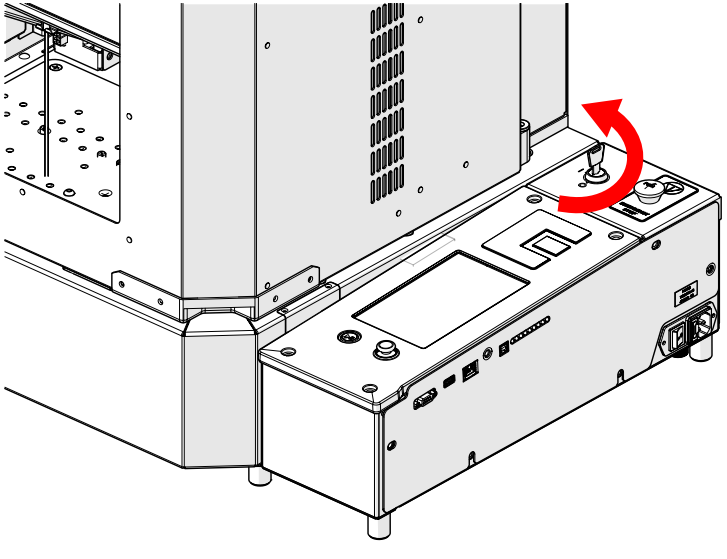
Turn Off Engraver
Turn the key switch to the off position to power down the engraver.
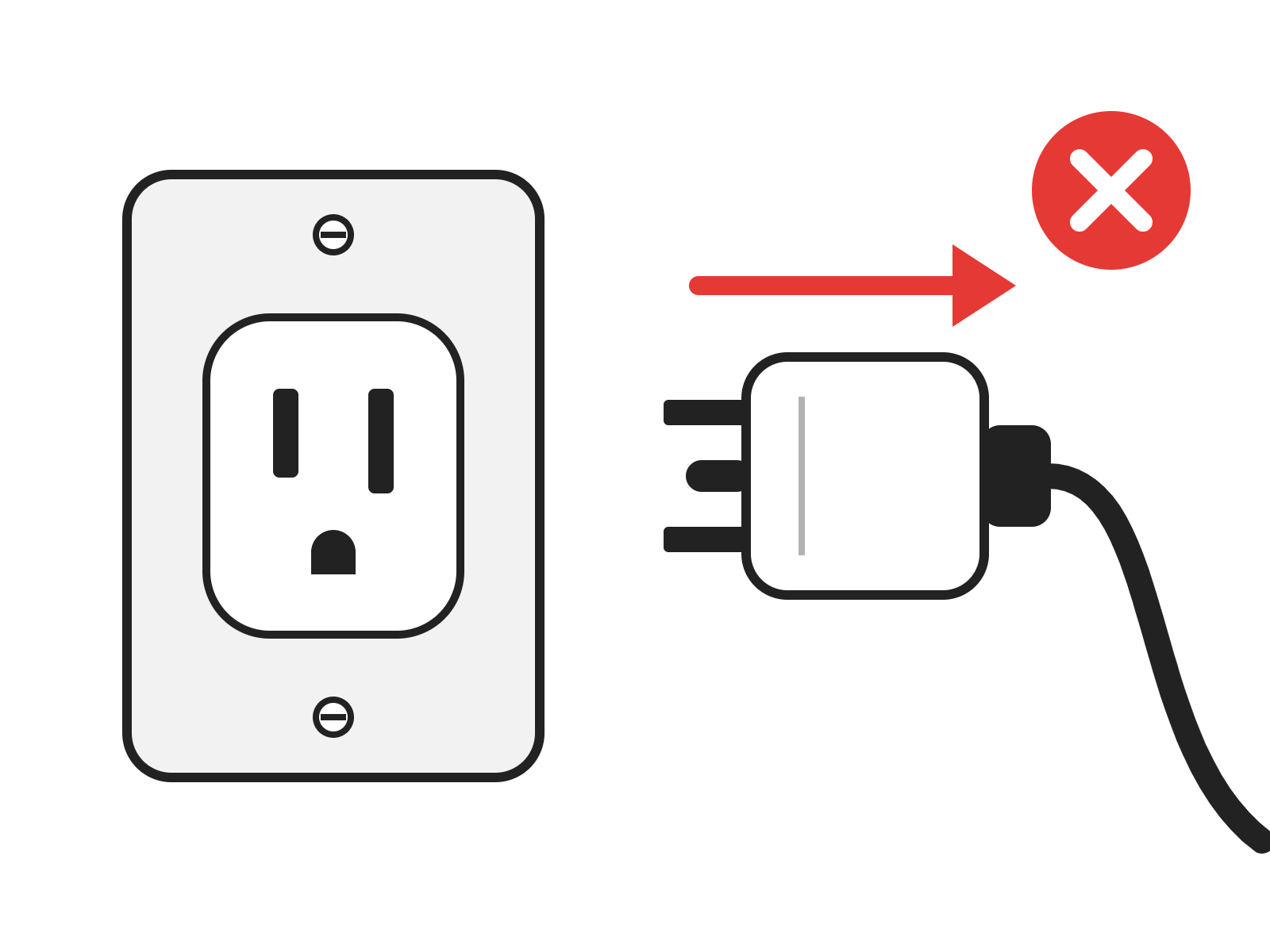
Disconnect from Power
Unplug the power cord from the engraver.
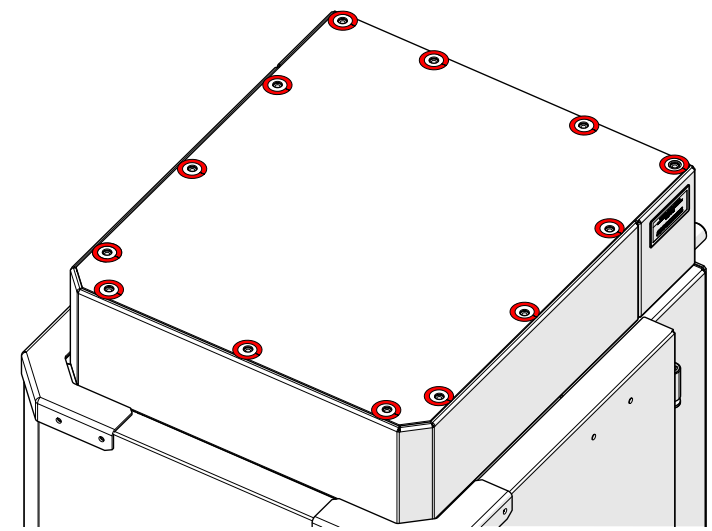
Remove Top Panel Screws
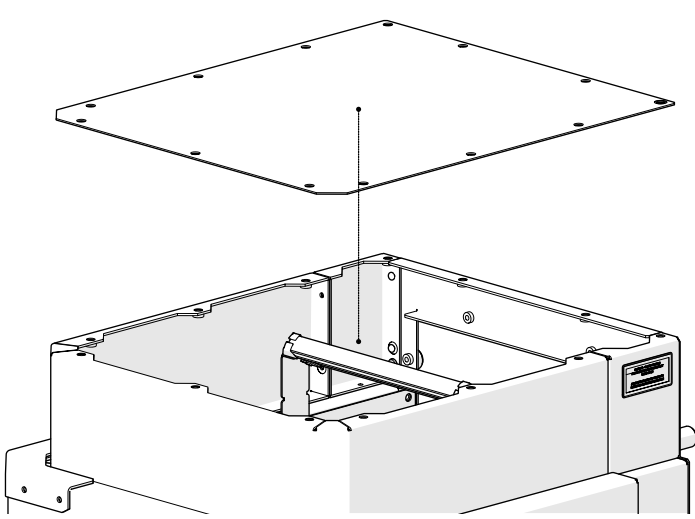
Loosen and remove the screws around the edge of the top panel (highlighted in red).
Remove Top Panel
Lift the top panel off the engraver and set it aside.
Disconnect Diode Harness
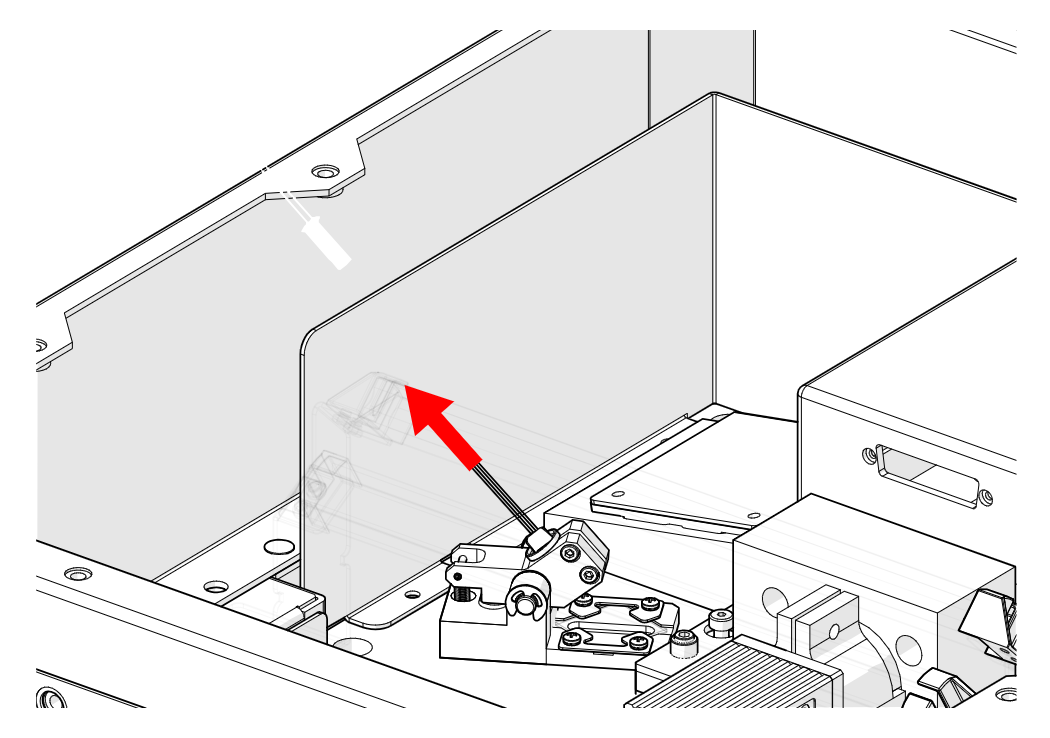
Follow the red dot diode harness to its connector and disconnect it.
Loosen Holder Screws
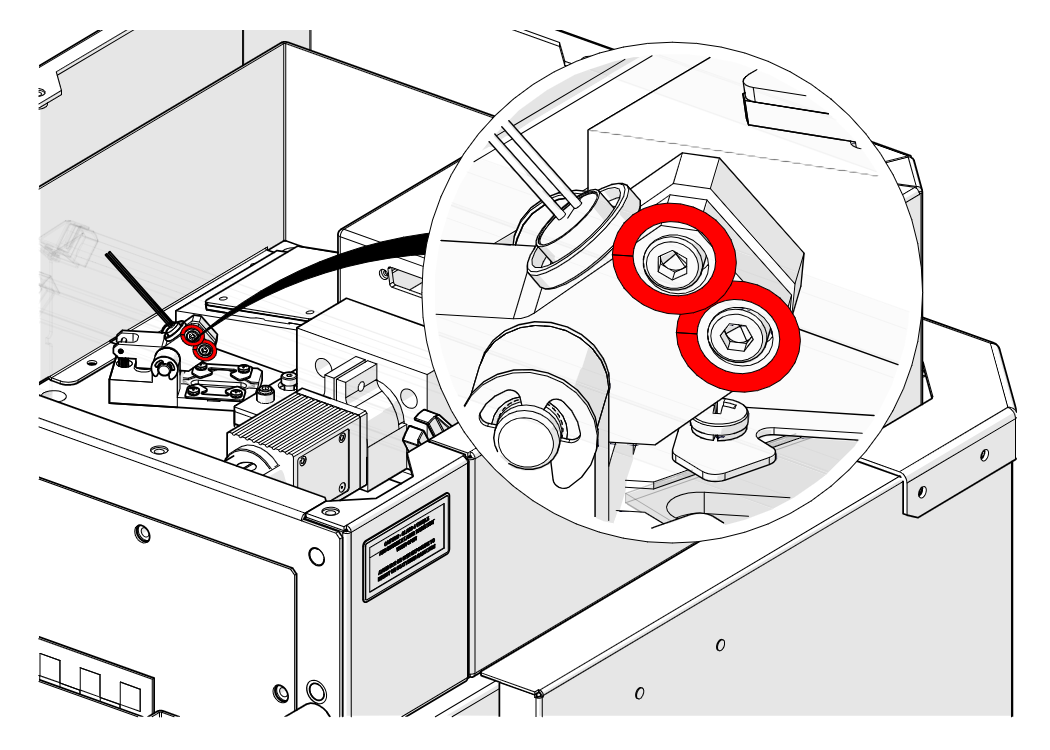
Loosen the two screws on the diode holder (highlighted in red), but do not remove them.
Remove the Diode
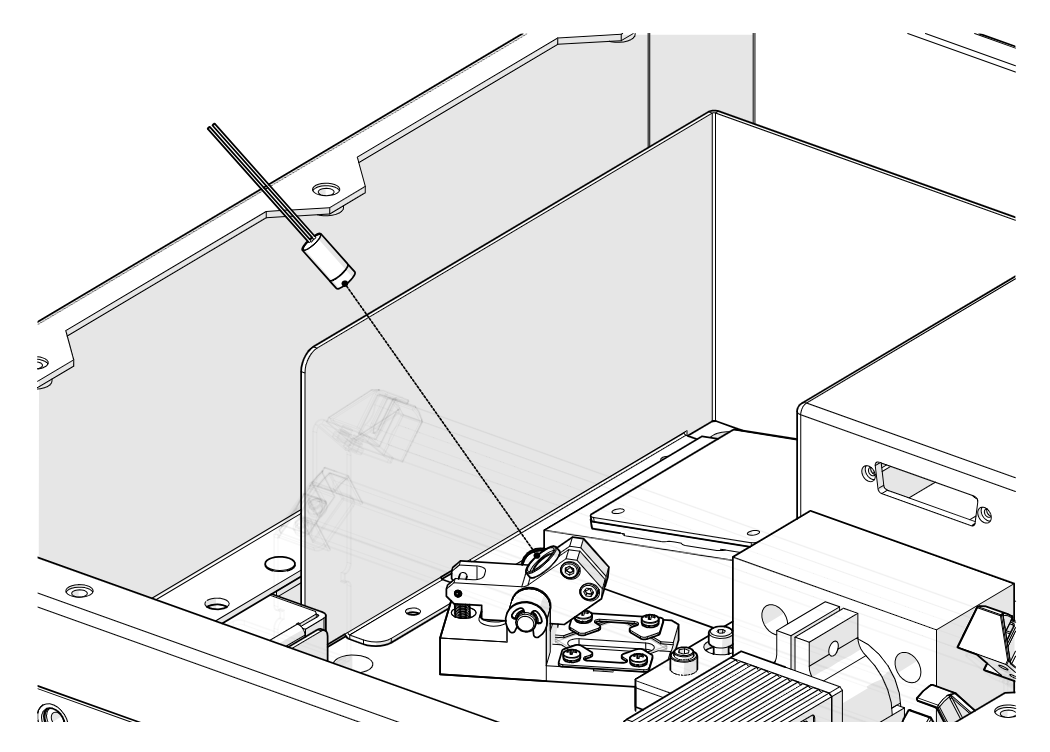
Slide the red dot diode out of its holder.
Red Dot Diode Installation
Install the New Diode
Slide the new diode into the holder. Use GC0260 for the F163 (4″ x 4″) lens or GC0265 for the F254 (6″ x 6″) lens.
Tighten Holder Screws
Tighten the two screws on the diode holder (highlighted in red).
Connect Diode Harness
Follow the harness back and reconnect the diode connector.
Install Top Panel
Set the top panel back on the engraver.
Install Top Panel Screws
Install and tighten the screws around the edge of the top panel.
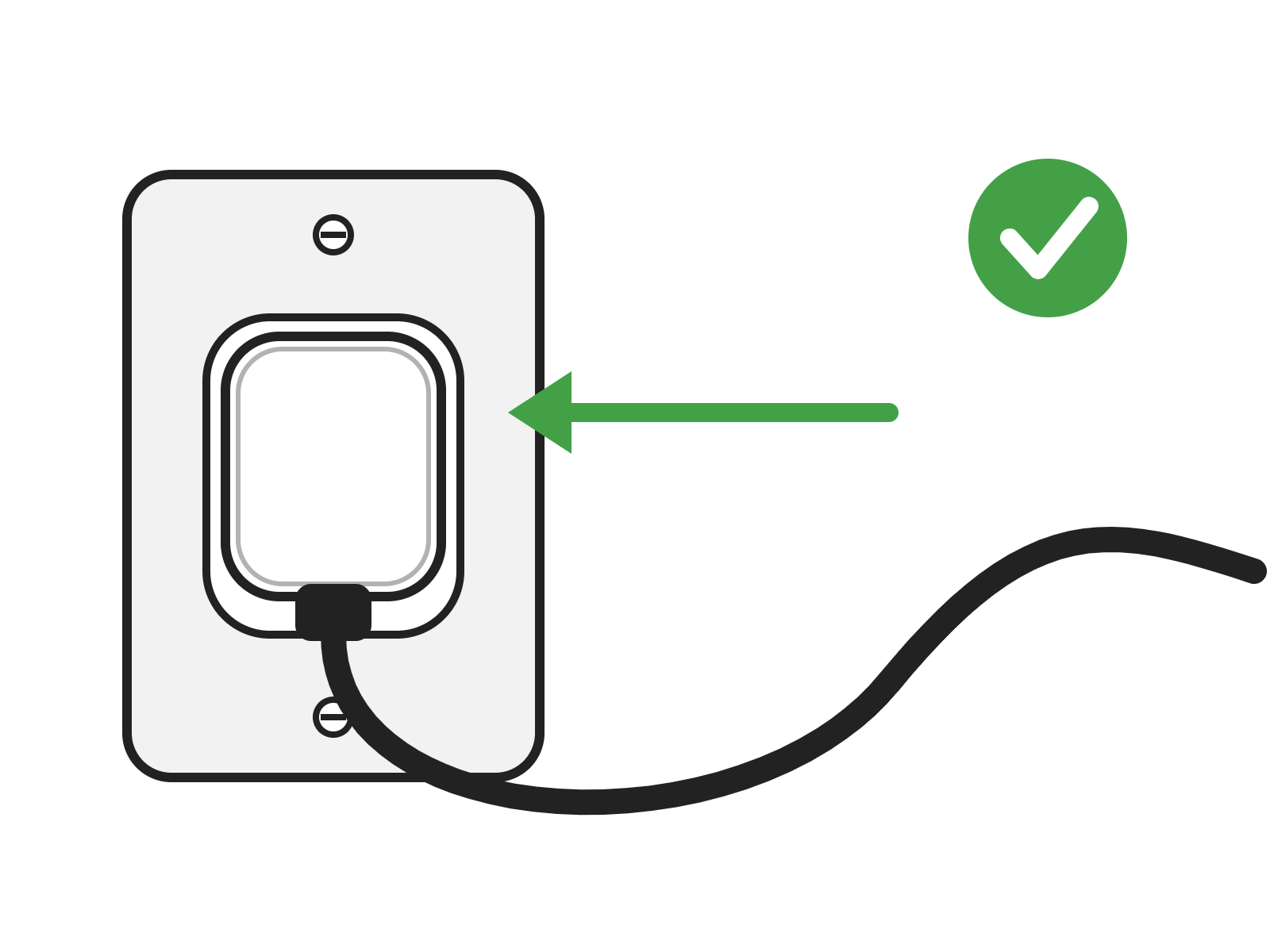
Connect to Power
Plug the power cord back into the engraver.
Complete the Calibrations
After installing a new red dot diode, complete the focus and camera calibrations. See Focus and Camera Calibrations – Fusion Galvo.