
This guide covers running the X-axis encoder calibration on the Fusion Ascent from the touchscreen. During the calibration the lens carriage steps across the full width of the X-axis assembly, so make sure nothing is in its path before you start.
X-Axis Encoder Calibration
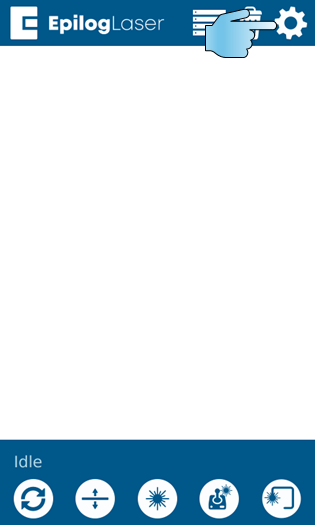
Step 1
Open Settings
On the main screen, press the gear in the upper right-hand corner of the display.
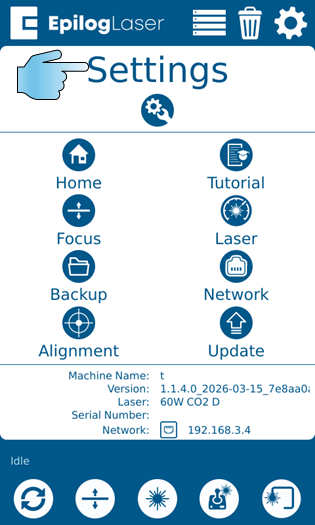
Step 2
Open the Service Menu
Press and hold the word Settings at the top of the display.
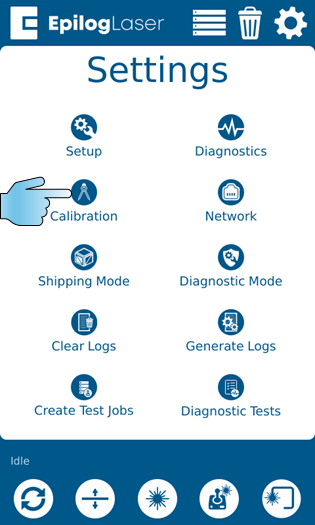
Step 3
Select Calibrations
Press the Calibrations button.
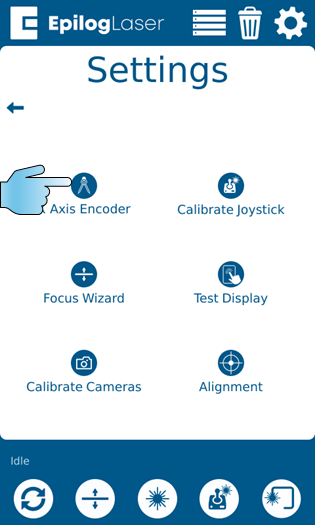
Step 4
Select X-Axis Encoder
Press the X-Axis Encoder button.
Step 5
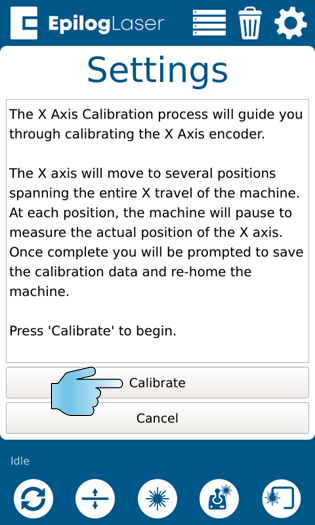
Start the Calibration
Press Calibrate. The lens carriage steps across the full span of the X-axis assembly.
Step 6
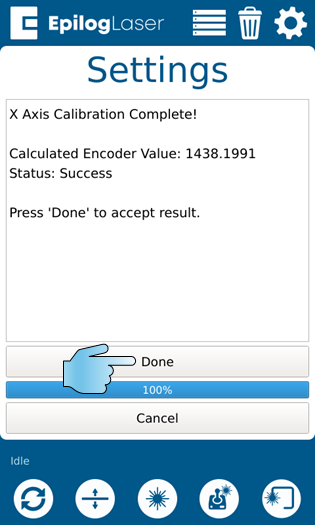
Accept the Result
When the calibration finishes, check that the status reads Success, then press Done to accept the result.
Step 7
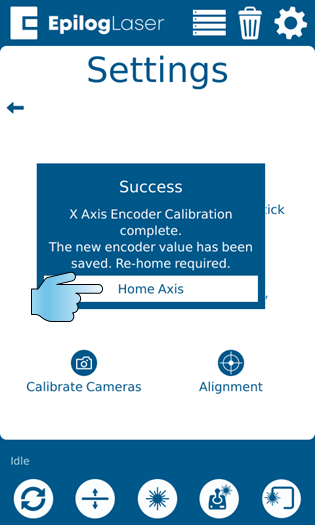
Home the X-Axis
Press Home Axis so the change takes effect. The machine returns to its rest position and is ready to use.