
Estimated time: 30–45 minutes • Skill: Intermediate
This procedure guides you through removing and installing the Table (Z-Axis) Belt on Fusion Pro 32 & 48 laser systems. Follow these steps to ensure correct belt routing, proper tension, and smooth Z-Axis motion for precise engraving.
Z-Axis Belt Removal
-
Power down and disconnect the engraver.
Turn off the engraver and unplug it from the power source. -
Remove access panels.
Remove the front and right side panels of the engraver.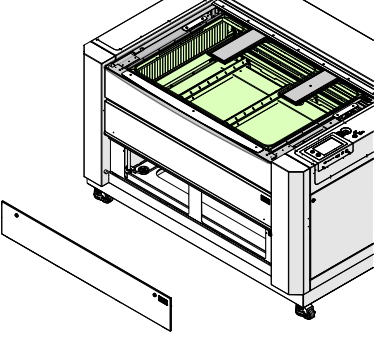
Image 1: Front panel removed.
-
Mark the motor location.
Use a pencil to mark the leading edge of the Z-Axis motor body on the chassis. This will help set proper belt tension during reinstallation.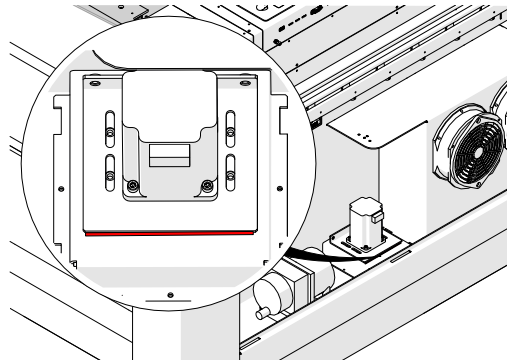
Image 2: Mark the Z-Axis motor position.
-
Disconnect the Z-Axis motor harness.
-
Release belt tension.
Loosen, but do not remove, the two 7/64” Allen screws on the tensioner.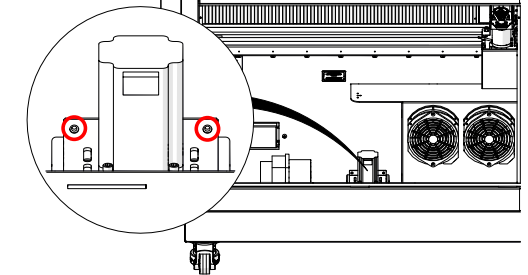
Image 3: Loosen tensioner screws.
-
Remove motor mounting screws.
Loosen and remove the four 7/64” Allen screws securing the Z-Axis motor to the chassis.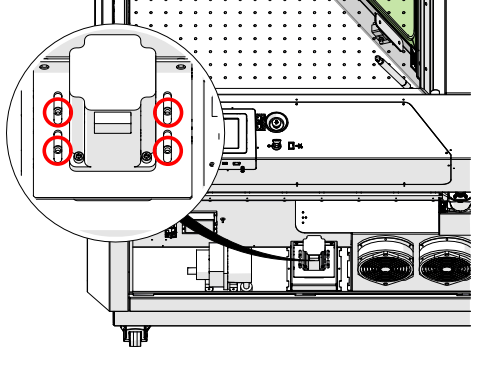
Image 4: Remove motor mounting screws.
-
Remove the Z-Axis motor.
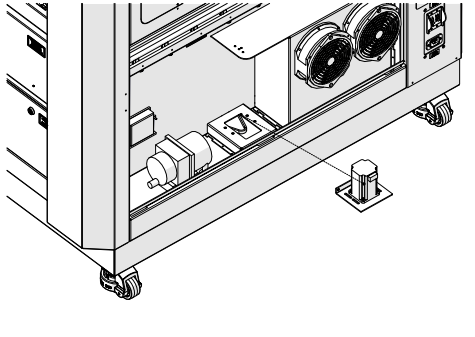
Image 5: Z-Axis motor removed.
-
Remove the Z-Axis belt.
Press the belt flat against the bottom of the chassis and slip it underneath each lead screw pulley.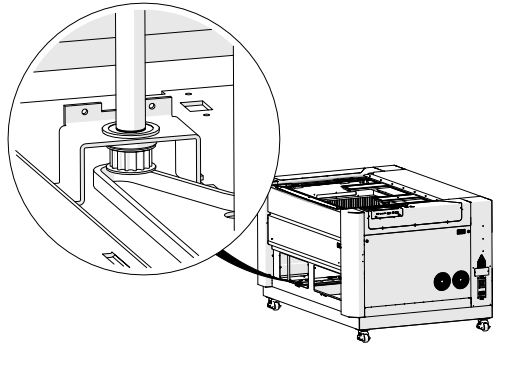
Image 6: Z-Axis belt removed.
Z-Axis Belt Installation
-
Place the Z-Axis belt in the chassis.
Press the belt flat against the bottom of the chassis and slip it underneath each lead screw pulley. Ensure the toothed side wraps around the pulleys correctly.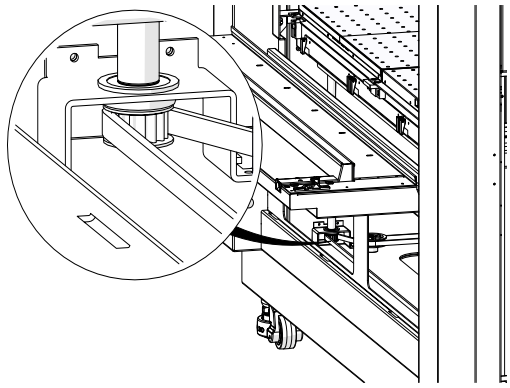
Image 7: Z-Axis belt routed correctly.
-
Reinstall the Z-Axis motor.
Position the motor so the pulley fits inside the belt, and loosely install the four 7/64” Allen screws.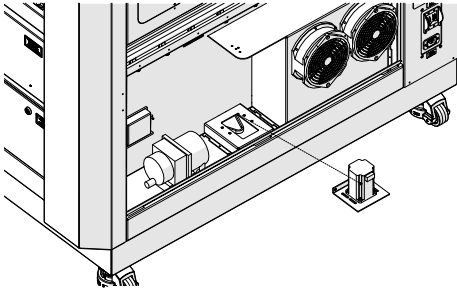
Image 8: Z-Axis motor installed.
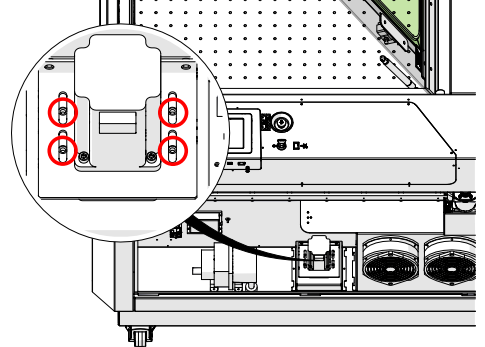
Image 9: Motor mounting screws.
-
Route belts on all lead screws.
Repeat for all four lead screw assemblies, ensuring proper routing.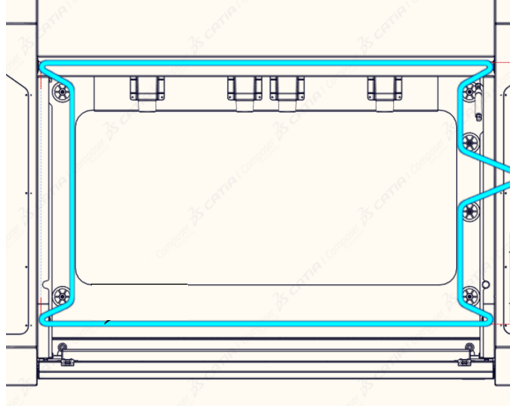
Image 9: Belt routing on all lead screws.
-
Inspect belt placement.
Ensure the belt remains seated on all pulleys. Reposition if needed.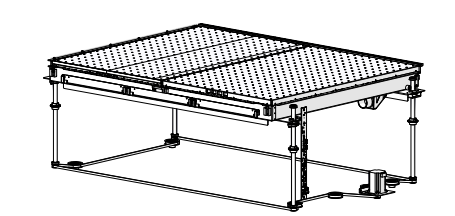
Image 11: Inspect belt placement.
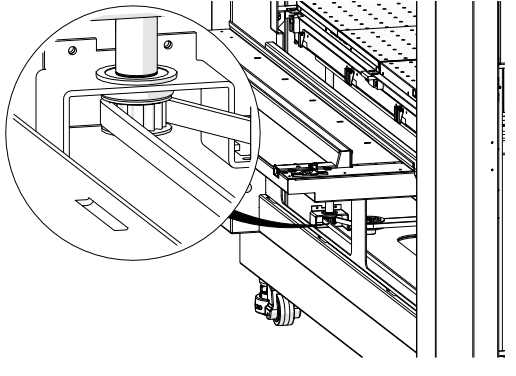
Image 12: Inspect pulleys.
-
Tension the belt.
Tighten the two 7/64” Allen screws on the tensioner until the motor aligns with the pencil mark made earlier.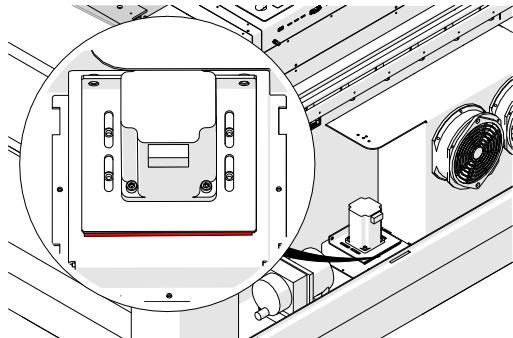
Image 13: Belt tension adjusted.
-
Secure the motor.
Tighten the four motor mounting screws.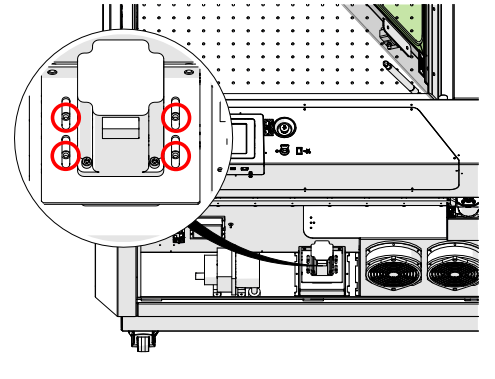
Image 14: Motor secured.
-
Reconnect the Z-Axis motor harness.
-
Reinstall all access panels.
Replace the front and right panels of the engraver.
Image 16: Access panels reinstalled.
