How to Set Up Graphics Software for Epilog Laser Systems This guide provides step-by-step instructions for configuring and using popular graphic design software with Epilog Laser systems. Software Setup CorelDRAW Setup Open CorelDRAW. Note: CorelDRAW Graphics Suite is the recommended CorelDraw version for use with Epilog Laser...
Interactive Connection Guide – Legacy & Suite This guide walks you through configuring your network settings and installing the control software for your Epilog Laser system. You...
Laser 3D Model Making with 123D Make How do I turn a 3D Model into a real-world object? Turning your 3D models into a real-world objects is quick and easy with the combined power of AutoDesk’s 123D Make...
Laser Engrave or Cut a City Map (Adobe Illustrator) How do I create city map artwork for cutting or engraving with my Epilog Laser? (Adobe Illustrator) Laser engraved or cut city maps are easy to create and will quickly become a great new addition to your...
Laser Engrave or Cut a City Map (CorelDRAW) How do I create city map artwork for cutting or engraving with my Epilog Laser? (CorelDRAW) Laser engraved or cut city maps are easy to create and will quickly become a great new addition to your...
Laser Exhaust Requirements What specifications should I be aware of when choosing an exhaust system? Systems: All When specifying an exhaust system for your machine there are a number of considerations. The main minimum requirements...
Laser Safety: Key Training Highlights Module 5: Laser Injuries Module 6: Laser Accidents Module 7: Non-beam hazards...
Laser System Preventative Maintenance Updated March 2026 | Frequency may vary based on material usage and throughput. To ensure peak performance and extend the...
Laser Systems and Printed Circuit Boards How can I use an Epilog Laser on PCBs? One of the most common questions we get at Epilog is “can your lasers do printed circuit boards?” The answer...
Layering a Clip Art Image How do I create a multiple level engraving effect from a piece of clipart? In our 3D acrylic Sample Club download, we engraved parts of a clip art image on five cut pieces of...
Make Your Own FontBot How do I create an image out of fonts, like a FontBot? What is a FontBot? It’s a design you create from the letters and characters of a specific font. Designers have...
Manipulating Clip Art to Create Unique Designs How can I change a piece of clipart so it will engrave well? One of the most common challenges we hear from customers has absolutely nothing to do with lasers. Instead, we hear...
Material Safety and your Laser What is a Material Safety Data Sheet and how do I use it? While nearly any material you put into your engraving system will contain and or release some sort of residue or...
Maximum Rotary Attachment Diameters What is the maximum diameter/length that will fit on the Rotary Attachment? Maximum diameter that will fit on the Rotary Attachment for each system Epilog Zing 24: 5.25″ (133mm) Epilog Mini 18:...
Mirror Engraving Can I engrave mirrors with my laser? Mirror engraves beautifully with a CO2 laser and allows you to create different effects depending on which side of the...
Naming Your Laser Engraving Files Naming Your File in Your Design Software When creating a file for the Epilog Laser, clarity is helpful down the...
Optimize Your Workflow: Changing Default Job Settings How can I set up default job settings in the Software Suite? Estimated time: 5–10 minutes • Skill: Beginner By default, jobs sent to the Epilog Software Suite use standard settings. You...
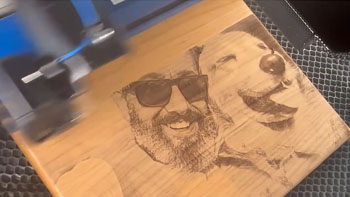
Photo Engraving Do’s and Don’ts How can I create a great photo engraving with the laser? Photographs are one of the most popular items for engraving purposes. Taking a captured memory and engraving it upon a...