Inhoudsopgave
- Inleiding
- Veiligheid
- Aan de slag
- Setting Up Your Laser System
- Unpacking the Fusion Ascent
- Choose Where to Locate the System
- Connecting the Exhaust
- Connecting Electrical Power
- Connecting the Laser to Your Computer
- Power on the Laser
- Set the IP Address
- Install the Software Suite & Set Up Your Laser
- Sign Up for Driver Updates and Register Your System
- Configuratiescherm
- System Features
- Machine Maintenance
- Specifications
- Technical Support
- Warranty
- Materiaal instellingen
- Calibration
Status Light
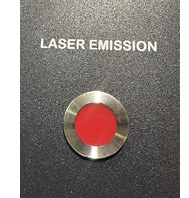
The Ascent has two emission indicators: one located in the Key Switch and E-Stop cluster above the LC1000 main controller board, and a second located on the side of the backplane board. Both indicators are red and illuminate when the laser is capable of firing.
During Class 4 operation, these indicators are required to alert users that a laser beam may be present. Refer to the Class 4 manual for additional information about Class 4 operation and safety requirements.
In a Class 2 configuration, the emission indicator remains illuminated whenever the doors are closed and all safety interlocks are engaged. This is due to the CO₂ laser tickle signal, which keeps the laser in a ready state.