Inhoudsopgave
- Inleiding
- Veiligheid
- Aan de slag
- Setting Up Your Laser System
- Unpacking the Fusion Ascent
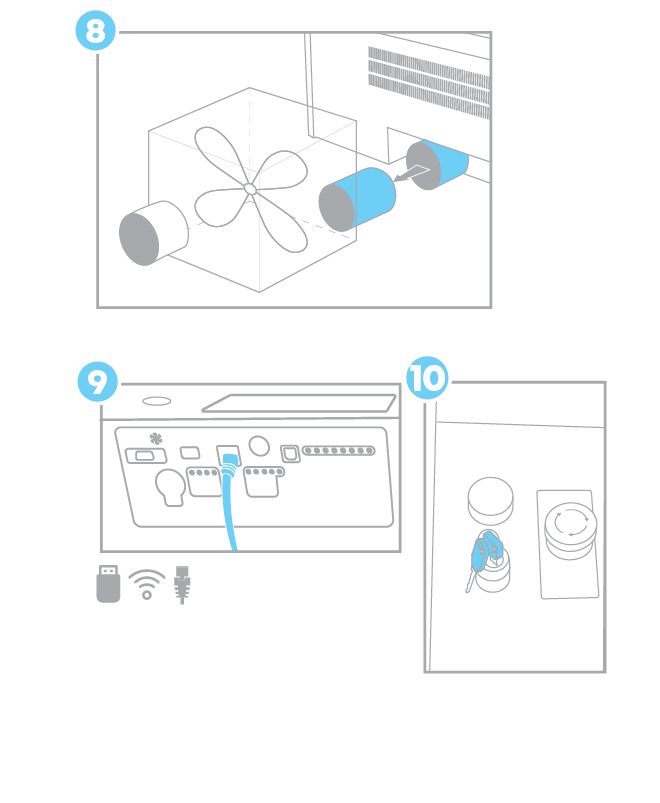
- Choose Where to Locate the System
- Connecting the Exhaust
- Connecting Electrical Power
- Connecting the Laser to Your Computer
- Power on the Laser
- Set the IP Address
- Install the Software Suite & Set Up Your Laser
- Sign Up for Driver Updates and Register Your System
- Configuratiescherm
- System Features
- Machine Maintenance
- Specifications
- Technical Support
- Warranty
- Materiaal instellingen
- Calibration
Unpacking the Fusion Ascent
1. Start by using scissors or a utility knife to cut the box straps. Stand clear of the straps, as they are under high tension and may pop out at high speed when cut.
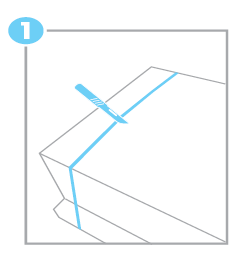
Haal nu de omsnoeringsband en het houten deksel van de kist eraf.
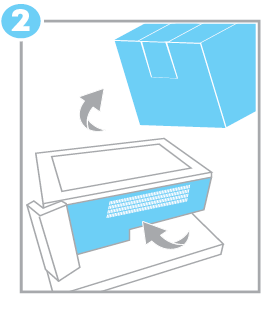
2. Pull the box up and away from the pallet.
3. Cut the tape that’s holding the bag closed, then spread the bag over the sides of the machine.
4. If you purchased a stand with your machine and you’d like to use it as the base for your Fusion Ascent machine, assemble the stand now, before continuing on with this lesson.
5. The Fusion Ascent weight ranges from 147-212 lbs. With the help of an additional person, lift your Ascent laser system from the pallet and place it on a sturdy, level surface.
6. Once you’ve removed the machine from the pallet, remove the plastic bag.
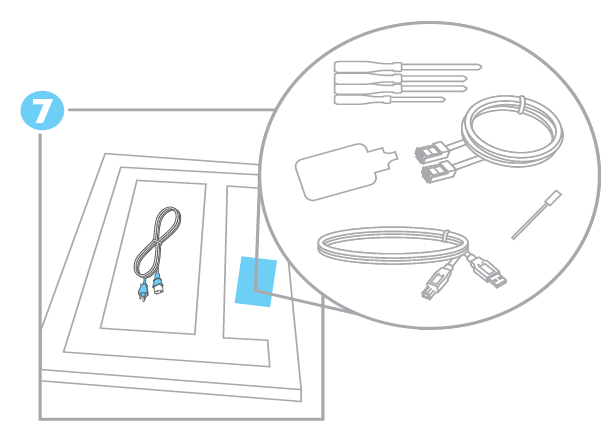
7. You’ll find the included items and materials stored underneath:
- Stroomkabel
- Ethernetkabel
- USB-kabel
- Software installeren via USB
- Snelstartgids
- Handleiding voor de gebruiker
- Inschrijfkaart en pakket voor de trainingssuite
- Materiaalmonsterpakket voor leveranciers
- Lensreiniger
- Laser Beam
- Kalibratieblad voor camera's