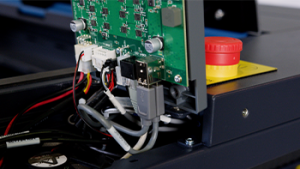
Om ervoor te zorgen dat je Ascent-laser ook bij zware werkbelasting optimaal blijft presteren en betrouwbaar blijft, vind je in deze handleiding een eenvoudige, proactieve manier om de luchtstroom te optimaliseren. Door het ventilatorfilter van de besturingskaart definitief te verwijderen, bereikt je systeem maximale koelefficiëntie, zodat je tijdens veeleisende productieruns zonder onderbrekingen kunt blijven werken.
Veiligheid gaat voor alles: Zorg ervoor dat het lasersysteem volledig is uitgeschakeld en dat de stekker uit het stopcontact is gehaald voordat je interne elektronische onderdelen aanraakt of loskoppelt. Raak geen blootliggende onderdelen van de voeding aan.
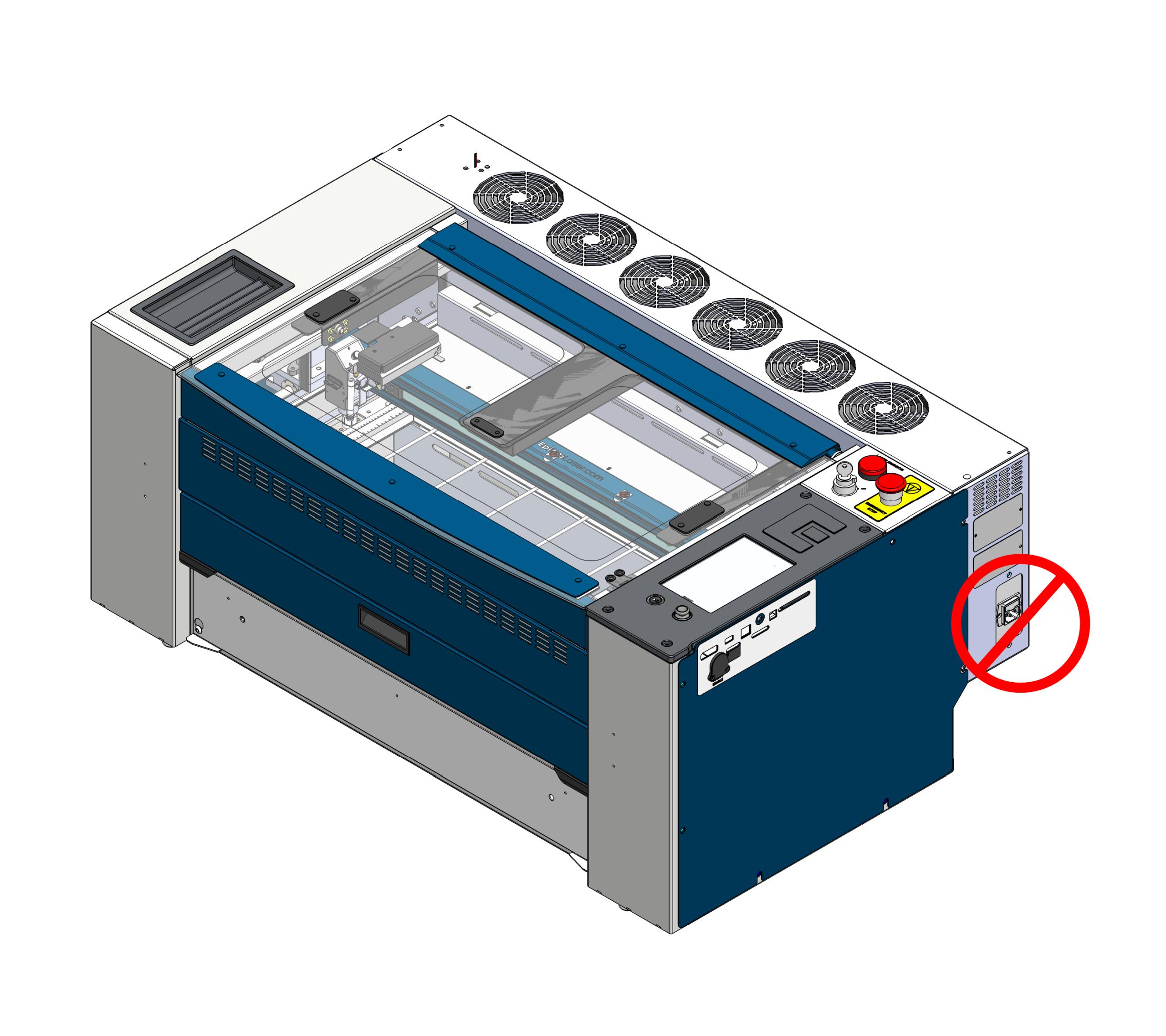
Uitschakelen en de stekker eruit trekken
Schakel het apparaat voor je eigen veiligheid volledig uit en trek de stekker uit het stopcontact voordat je met deze procedure begint.
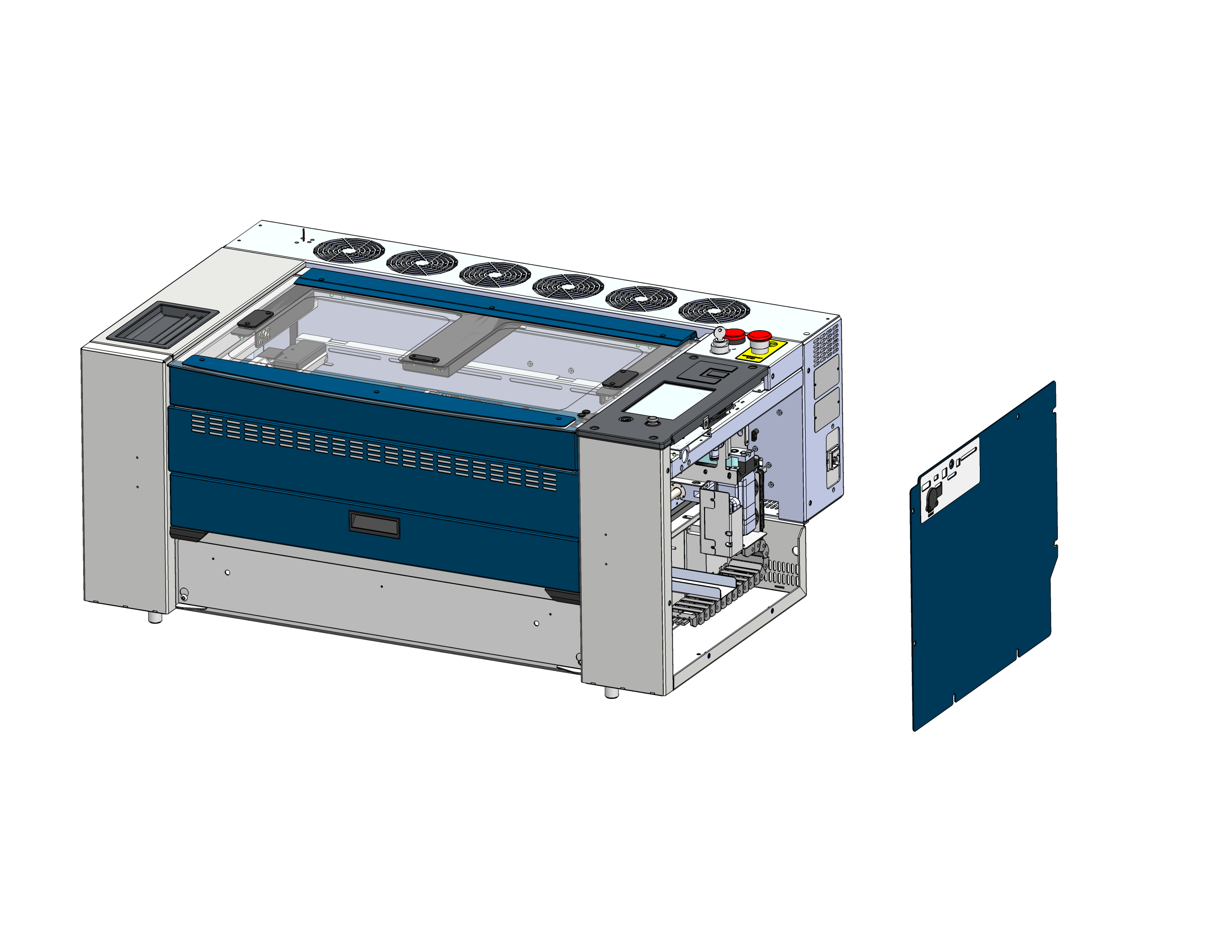
Verwijder zijpaneel
Zoek het rechter zijpaneel van de machine en haal het eraf, zodat je bij de koelventilator van de besturingskaart kunt komen.
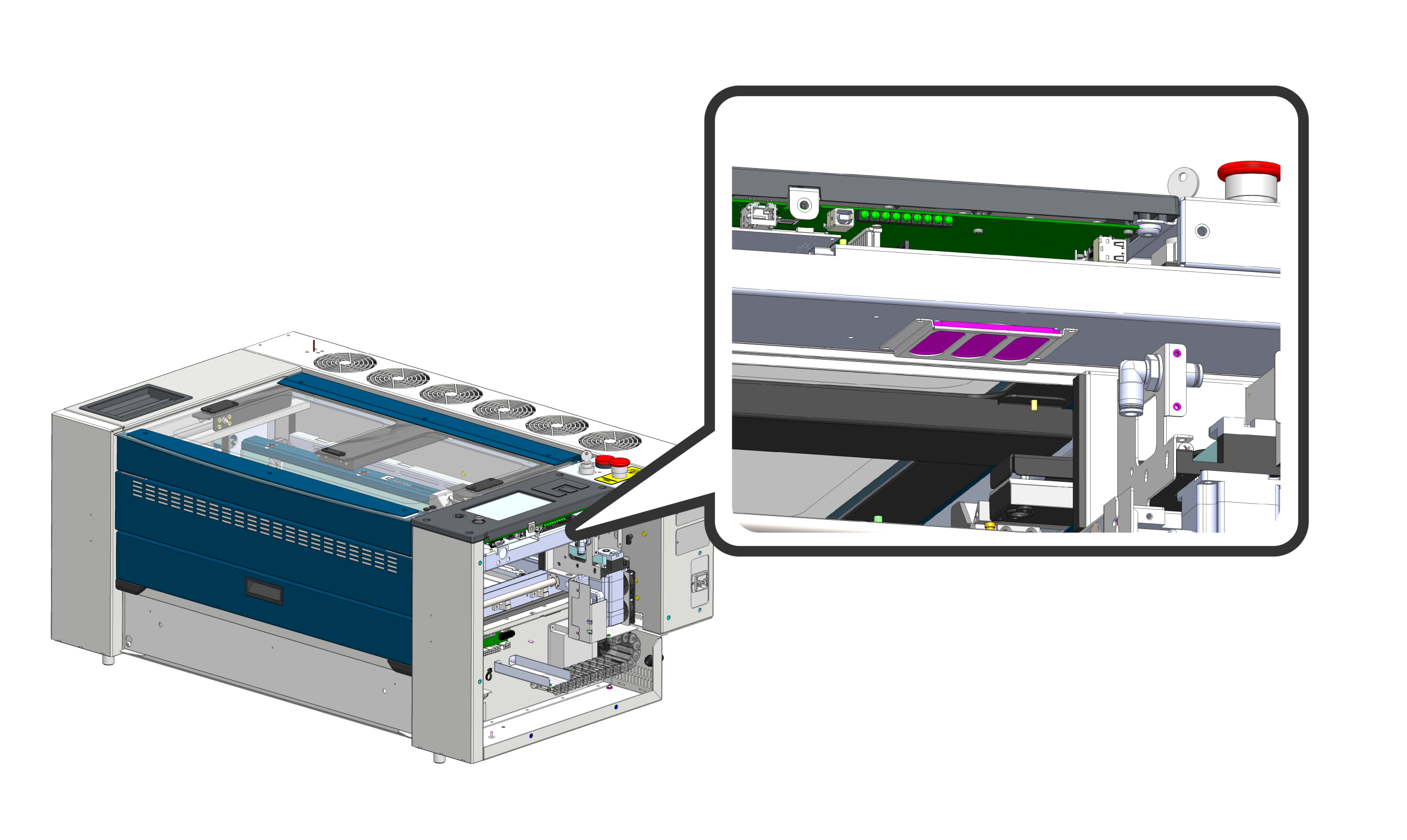
Uitschuifbaar ventilatorfilter
Het ventilatorfilter zit onder de besturingskaart (roze gemarkeerd). Schuif het ventilatorfilter voorzichtig uit de bevestigingsbeugel. Om de luchtstroom en het koelvermogen zo goed mogelijk te laten werken, wordt dit filter definitief verwijderd en blijft het weg uit de opstelling.
Zijkap weer bevestigen
Plaats het rechterzijpaneel weer terug en zet de bevestigingen goed vast. Sluit het netsnoer weer aan en zet de machine aan. Je systeem is nu geoptimaliseerd voor blijvende topprestaties.