Table des matières
- Introduction
- Sécurité
- Pour commencer
- Setting Up Your Laser System
- Unpacking the Fusion Ascent
- Choose Where to Locate the System
- Connecting the Exhaust
- Connecting Electrical Power
- Connecting the Laser to Your Computer
- Power on the Laser
- Set the IP Address
- Install the Software Suite & Set Up Your Laser
- Sign Up for Driver Updates and Register Your System
- Panneau de configuration
- System Features
- Machine Maintenance
- Specifications
- Technical Support
- Warranty
- Paramètres matériels
- Calibration
Nettoyage du collecteur d'échappement
Make sure the exhaust blower you are using receives proper service. Periodically clean the exhaust blower and duct system to remove built-up debris. If you detect odor while engraving, or if the smoke in the cabinet is visible in the area of the lens carriage, inspect the exhaust system. Check for loose or broken pipe/hose connections, or obstructions. The following photos show where to clean the duct work of your machine. You should also occasionally check your exhaust blower and the connected duct work.
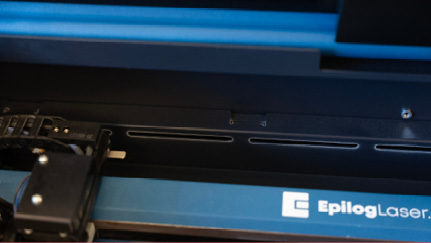
Cleaning the Vents
Clean the vents from the inside of the machine. It is best to use a flexible or wire brush that can access the inside of the vent.
Nettoyage du collecteur d'échappement
In addition to cleaning the inside of the machine, you should occasionally clean the exhaust plenum on the back of the system. The exhaust plenum can be completely removed from the Fusion Ascent by unscrewing the mounted screws on the back of the machine.