Table des matières
- Introduction
- Sécurité
- Pour commencer
- Setting Up Your Laser System
- Unpacking the Fusion Ascent
- Choose Where to Locate the System
- Connecting the Exhaust
- Connecting Electrical Power
- Connecting the Laser to Your Computer
- Power on the Laser
- Set the IP Address
- Install the Software Suite & Set Up Your Laser
- Sign Up for Driver Updates and Register Your System
- Panneau de configuration
- System Features
- Machine Maintenance
- Specifications
- Technical Support
- Warranty
- Paramètres matériels
- Calibration
Setting Park Position / Resetting Park Position
-
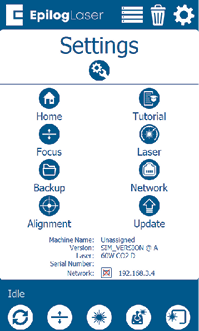
To set a new Park Position, press the Settings gear button in the upper right corner.
-
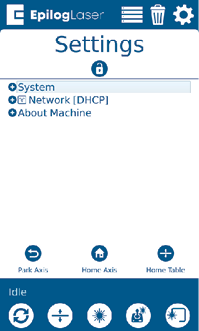
Under the Settings menu, press the wrench and gear icon in the bottom left corner to open the Config Settings Menu.
-
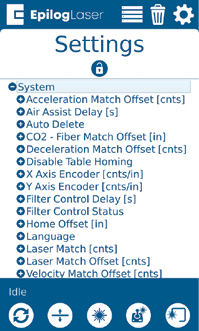
Press “System” to expand the menu. Scroll down to “Park Position” and press it to open the submenu.
-
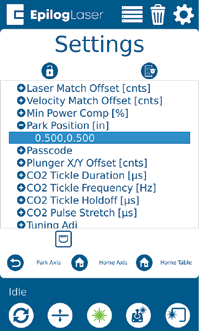
Scroll down to “Park Position” and press it to open up the submenu.
-
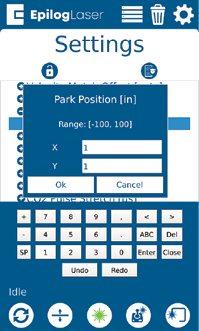
Tap the current number value below Park Position to change it to the X & Y coordinates of your choice. Press “Ok” to save the new coordinates.
-
To reset Park Position to its default position, follow the previous steps and change both the X & Y value to “1”.