Peripheral updates ensure optimal performance and communication between the engraver’s programmable components by installing the latest firmware and configuration files.
Programming the Peripherals
-
On the display panel, tap the gear icon in the upper-right corner to open the Settings menu:
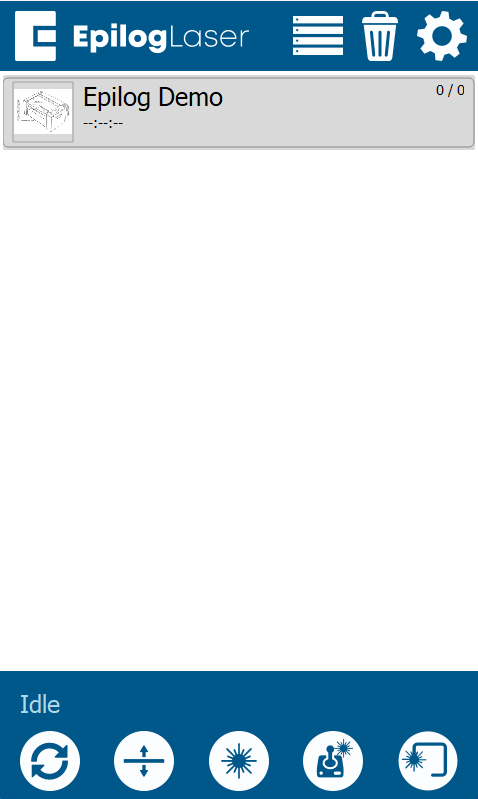
Figure 1: Access the Settings menu by tapping the gear icon. -
Select Update from the Settings menu:
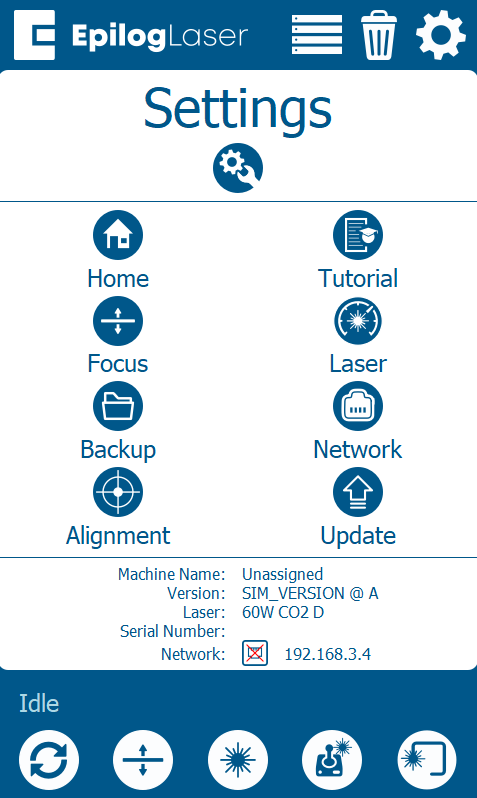
Figure 2: Select the Update option to access peripheral programming. -
Tap Program Peripherals to access the peripheral update options:
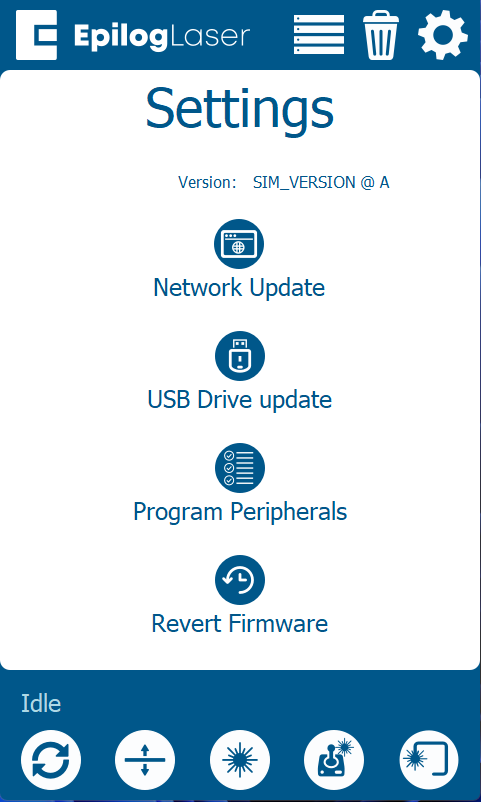
Figure 3: Select Program Peripherals to begin the update process. -
In the Peripheral Update menu, select all available components and press Update:
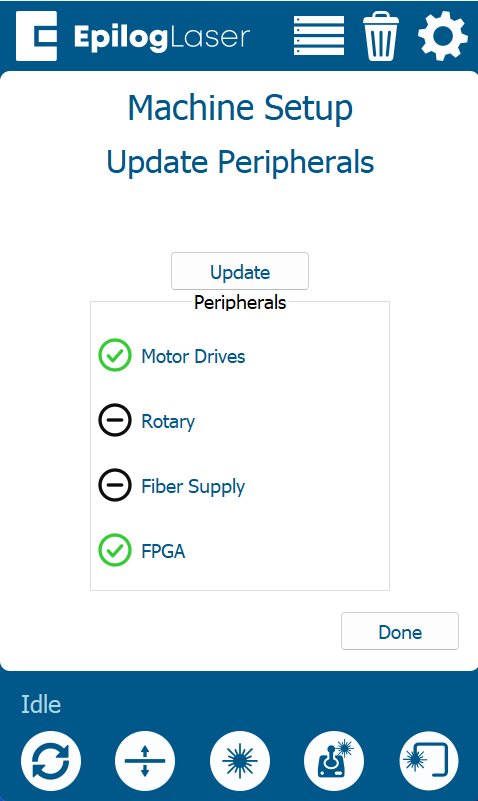
Figure 4: Select all components and press Update. -
Allow the engraver to complete the update process.
Warning: Do not power off the engraver during the update process. It is normal for the display to go dark temporarily. Once the update is complete, the system will prompt you to restart the engraver.
-
When prompted, power cycle the engraver to complete the update.