Joystick calibration ensures accurate movement of the carriage and X-Axis assemblies.
Only perform this calibration if you notice any of the following:
- Delayed joystick response
- Inaccurate or exaggerated movements
- The carriage drifts in jog mode even when the joystick is untouched
Steps to Calibrate the Joystick
-
Open the Settings Menu
On the display panel, press the gear icon in the top-right corner to open the Settings menu.
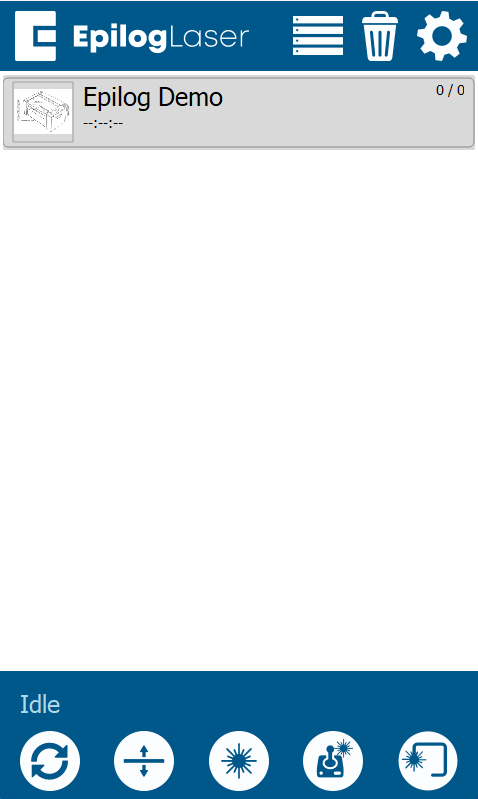
Image 1: Home screen with gear icon in top-right corner
-
Access Advanced Settings
Press and hold the word “Settings” on the screen until the Advanced Settings menu appears.
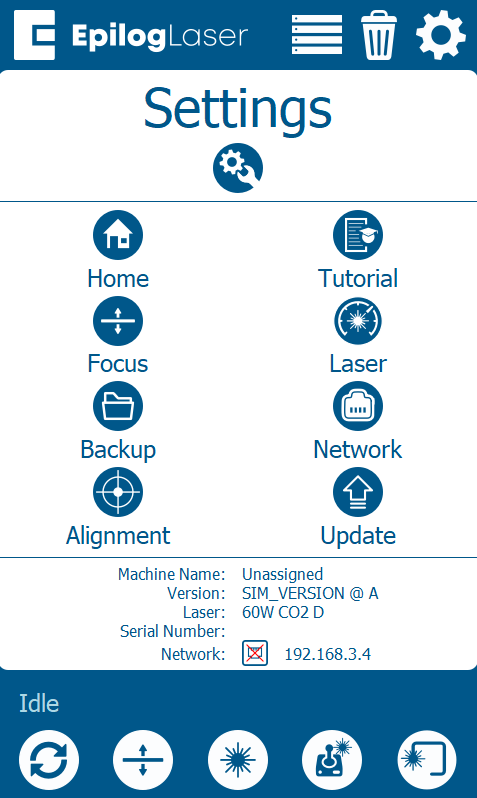
Image 2: Settings screen where “Settings” must be held
-
Select “Calibrate Joystick”
In the Advanced Settings menu, tap Calibrate Joystick.
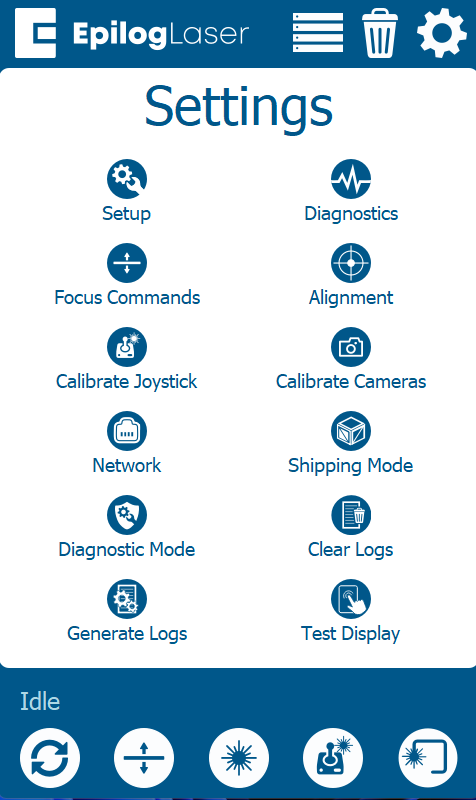
Image 3: Advanced Settings menu
-
Start Calibration
Tap the Calibrate button to begin the calibration process.
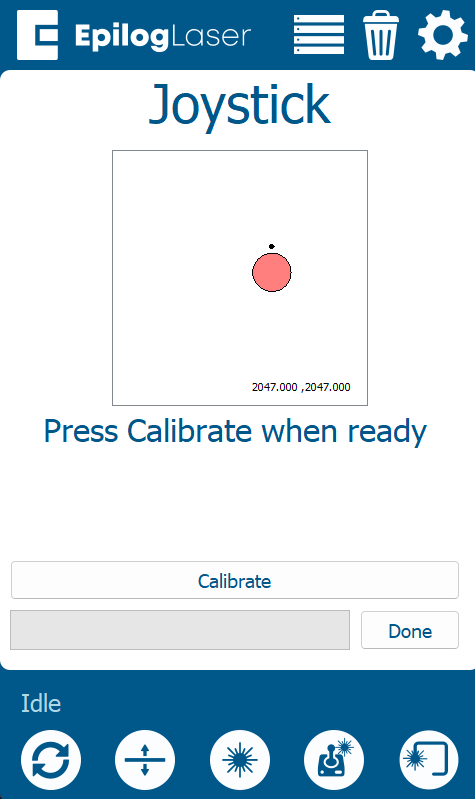
Image 4: Joystick Calibration screen
IMPORTANT: Move the Joystick in Circles
When prompted:
- Gently move the joystick in smooth, full circles.
- After a few seconds, the system will prompt you to release the joystick.
Important: You must immediately stop and release the joystick as soon as you’re prompted. Waiting too long may result in poor calibration.
-
Calibration Complete
Once you release the joystick, the system will say calibration complete. Press Done to exit the menu.
Note: There is no success message shown after calibration completes.