Table of Contents
- Introduction
- Safety
- Getting Started
- Setting Up Your Laser System
- Unpacking the Fusion Ascent
- Choose Where to Locate the System
- Connecting the Exhaust
- Connecting Electrical Power
- Connecting the Laser to Your Computer
- Power on the Laser
- Set the IP Address
- Install the Software Suite & Set Up Your Laser
- Sign Up for Driver Updates and Register Your System
- Control Panel
- System Features
- Machine Maintenance
- Specifications
- Technical Support
- Warranty
- Material Settings
- Calibration
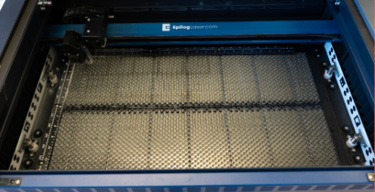
Vector Cutting Table
On all Fusion Ascent models, the Vector Cutting Table is used for both standard engraving jobs, as well as vector jobs where the laser penetrates all the way through the material being cut. The Vector Cutting Table lifts your work material away from the crumb trays and allows the laser beam to penetrate all the way through the material without reflecting back up onto the backside of your work.